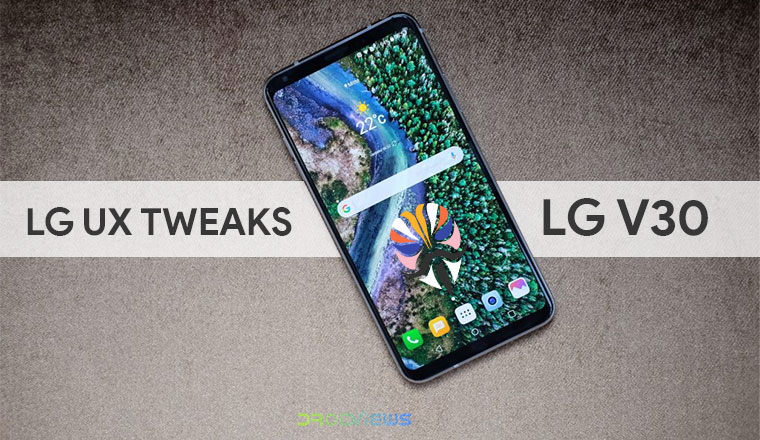
The LG V30 was released in September of 2017. Since then, LG has introduced a few flagships but the LG V30 is still capable of holding its own. While the device is yet to see the light of Android Pie, LG is still pushing out updates to the device. Obviously, it’s not enough and third-party developers have come up with ways to enable some features for the LG V30 that LG itself wouldn’t allow. Anxious V30 is a similar attempt and is a Magisk Module that offers LG UX tweaks on LG V30.
Generally, a Magisk module is very specific and each module is meant for a specific purpose. For instance, one module enables stereo sound on some device while another is required to add some audio customization settings like Viper4Android. Then there are some modules like the Pix3lify which introduce a number of tweaks to modify a device. Anxious V30, by XDA Senior Member TotallyAnxious, is a similar mod which includes a lot of LG UX tweaks for the LG V30.
Anxious V30 Magisk Module
The mod not only adds things but also takes away a few of the annoyances such as Direct share and some UI sounds. Direct share on Android is a nice feature but the way it has been implemented, it would be surprising if you’re not annoyed by it. We have talked about Direct Share in detail before along with a method to disable it on any Android. The Anxious V30 mod does this for LG V30 ThinQ users in addition to all the other goodness it brings.
It enables all lockscreen weather animations on the LG V30 which is also something we’ve covered before. If you don’t want all the additional stuff that comes with this mod but want to enable the lockscreen weather effects, you can follow our guide that is linked below.
Similarly, we’ve also published a dedicated guide for enabling the DTS:X 3D Surround Sound on the LG V30, which is also something that this mod will do along with the other things it does. If the DTS:X 3D Surround Sound is all you want, you can follow the guide linked below.
Other than the features mentioned above, the mod adds the Google Phone app, Google Sans fonts, The big adventure (default Google Pixel) ringtone, LG G7 Camera features, etc. It also replaces the default YouTube app with YouTube Vanced. For those unaware, YouTube Vanced is a modded version of YouTube which enables various features that the official app lacks such as background playback, auto-repeat, Picture-in-Picture, gesture controls, etc. Once again, we’ve already published a guide on how to install YouTube Vanced on any rooted Android device.
In addition, we’ve also discussed how you can take advantage of YouTube Vanced and enable gesture controls on any non-rooted Android device as well.
Below is a full list of all the additions the mod will make to your LG V30.
- All Lockscreen Weather Animations
- Android Pie Emoji & Roboto
- Anxious Kernel Script
- DTS:X (might be model specific)
- Dual Speaker Mod for US998/VS996 (maybe more models)
- ESS DAC for Low Impedance Headphones/AUX
- G7 Camera Features (G7 Camera App, Google Lens, Super Bright Mode, Updated AI, and Filter Data)
- Google Phone
- Google Sans
- Sunshower as Default Alarm
- The big adventure as Default Ringtone
- US GPS Config
- YouTube Vanced (Black)
And here’s what the module will disable on your device.
- Direct share
- Various UI sounds
Download
Before you go ahead with the installation, there are some things you should keep in mind. The latest version of the module, which is v170, has only been tested on the VS996 model with the 20g firmware. Although it should still, theoretically, work on any other models of the LG V30. Some of the features mentioned above will also be model-dependent. Make sure you visit the source link at the bottom and read all about the mod before you install it.
Download Anxious V30How to install Anxious V30 Magisk Module
- Download the Anxious V30 Magisk module to your device.
- Launch Magisk Manager and pull the side menu drawer by swiping from the left edge of the screen. You can also do this by tapping the hamburger menu button in the top-left.
- Head over to the Modules section.
- Tap on the yellow + button at the bottom and select the downloaded magisk module (named AnxiousV30_v170 .zip unless you changed it). Once the module is installed, tap the REBOOT button and let your device reboot.
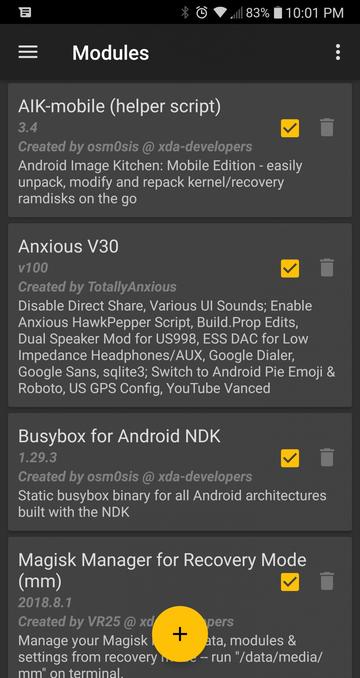
For some users, the Google Phone or the YouTube app may disappear. In that case, just flash the module from TWRP instead of Magisk.
Join The Discussion: