There’s no scarcity of screen recording apps in the Google Play Store. If you have been looking for a great app to record the activities of your smartphone’s screen, here are 5 of the best screen recorder apps for Android devices.
Everyone knows how to take screenshots on an Android device these days. Sometimes though, a screenshot is not enough. Sure you can show off your home screen but what about that cool new animation mod you added? What if you want to show off your gaming skills to your online friends? There are plenty of other use cases where you’ll need a screen recording rather than a screenshot. Many Android smartphones these days do ship with a screen recording feature built-in but also many don’t. In that case, you can make use of one of these best screen recorder apps for Android.
1. AZ Screen Recorder
[googleplay url = “https://play.google.com/store/apps/details?id=com.hecorat.screenrecorder.free”]AZ Screen Recorder is probably the most recommended screen recording app on Android and for good reasons. It’s the gold standard against all other screen recording apps are tested. Apart from being light, easy, accessible, and cheap, the overlay buttons here don’t interfere with the recording at all. Sadly, this is not the case with every screen recording app. If you’re streaming games or doing a reaction video or something similar you can even add a front camera feed to the screen recording. A decent video editing utility built-in ensures you don’t have to install another app for the little things. The app doesn’t require root, has no watermarks, no time limits, etc. but there is a pro version that goes for a paltry $2.99.
2. ADV Screen Recorder
[googleplay url = “https://play.google.com/store/apps/details?id=com.blogspot.byterevapps.lollipopscreenrecorder”]ADV Screen Recorder offers screen recording along with the ability to write on the screen, pause the recording, add images from the front or rear cameras. It’s one of the more advanced screen recording apps out there as you can tell from the long yet incomplete feature list above. It can do almost everything AZ Camera can do and more. For instance, you can even add your own watermark on a video which is perfect when you’re live streaming a game on Twitch or YouTube. You can pause and resume your screen recordings and there’s also a basic video editor built-in so you can also trim the recordings from within the app. It’s a free app for the most part but contains ads which can be removed with a one-time payment.
You may also like: 5 Health and Fitness Apps to Get Fit for Free at Home
3. Screen Recorder – No Ads
https://youtu.be/NsifWhkx314
[googleplay url = “https://play.google.com/store/apps/details?id=com.kimcy929.screenrecorder”]Screen Recorder is a legitimately good screen recording app that is ad-free. It allows recording of your phone’s screen 1080p 60fps which is not a very common feature. Screen Recorder dares to step into the fun territory with an in-built GIF maker along with other features such as a front camera feed, built-in video editor, shake gestures, etc. The app has a decent UI it doesn’t feel quite like a quality app. Tablet support is a bit flaky too. By default, the app will add a watermark to your videos but this can be turned off in the settings.
4. Google Play Games
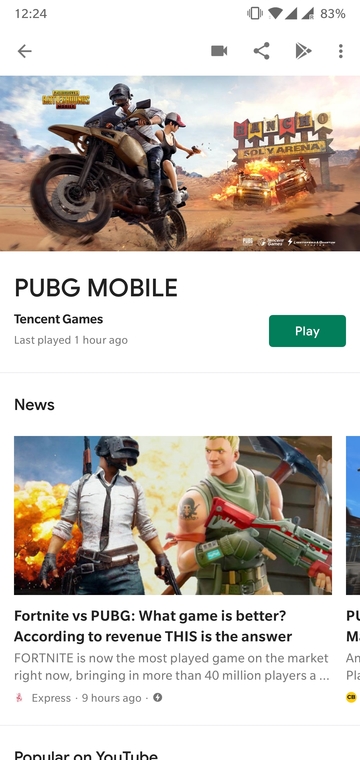
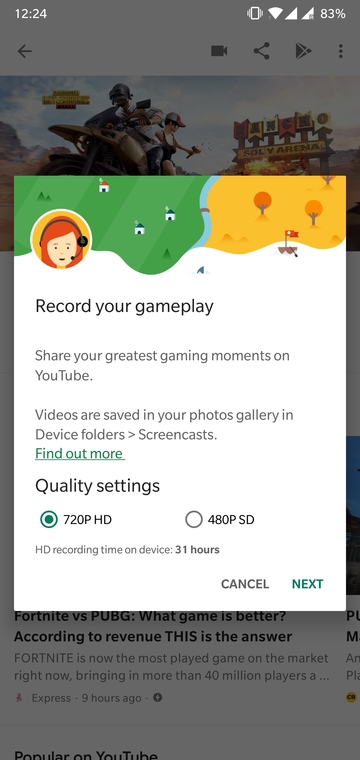
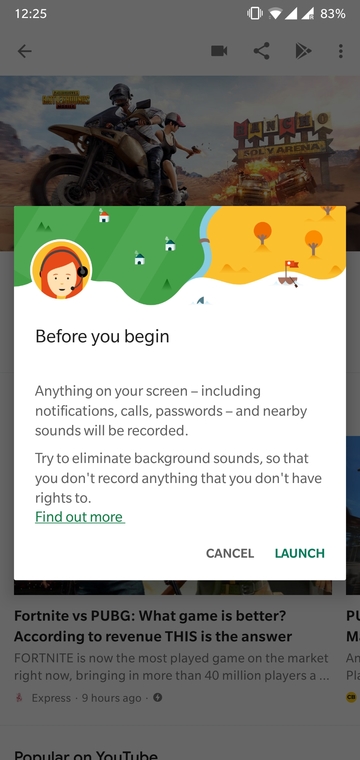
You can obviously tell this is not particularly a screen recording app. Yet, even though it’s not quite known, Google Play Games does let you record your screen. If you’re only interested in recording your screen while gaming, that is. It’s not the best screen recording tool but it gets the job done and you don’t have to install another app because this one is already pre-installed on your phone. All you have to do is go to the game’s page on the Google Play Games app and tap the Record icon at the top of the screen. When you launch the game, the front camera feed will also be recorded along with the screen as well as any sounds nearby. The camera feed can be moved around on the screen to any place, fortunately. This makes it slightly less intrusive than it could’ve been.
Don’t miss: 10 Outstanding Space Games for Android
While it is meant to record games, you can exit the game after launching it and the screen recording controls are still around and so is the front camera feed. This means you can still record your screen without actually having to play a game. Show of your home screen or something.
5. Twitch


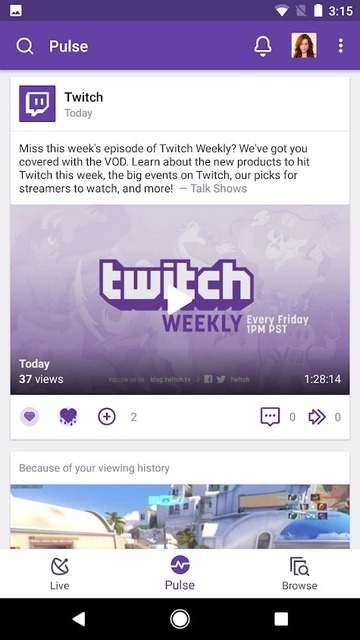
Since we did mention gaming, here’s an app from one of the most popular game video streaming services. Twitch, like Google Play Games, is not one of the screen recording apps. Instead, it only lets you stream a video of your gaming session onto Twitch but you can download it once you’re done. It’s better than Google Play Games if you only want to stream a video of your games but it probably won’t let you trick it into recording something that’s not a game.



Join The Discussion: