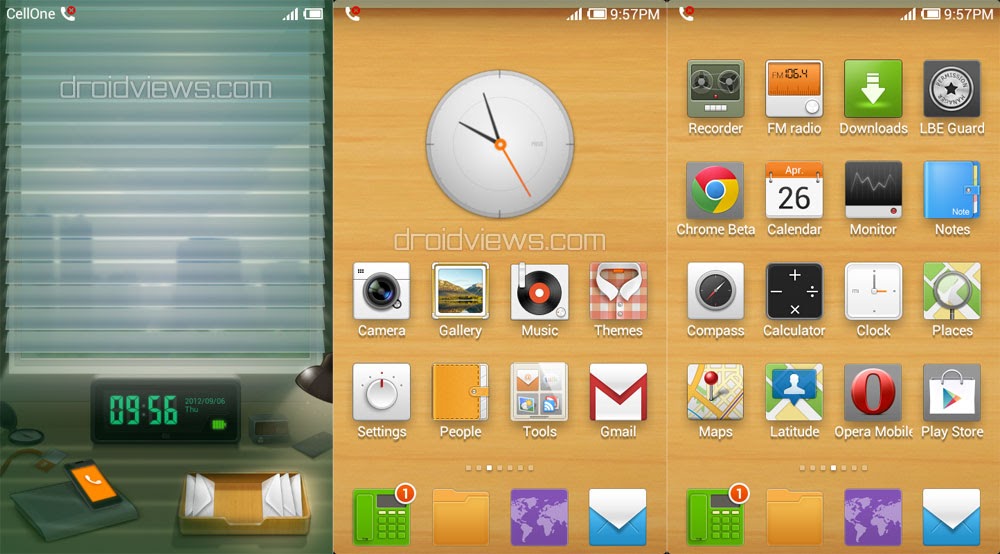
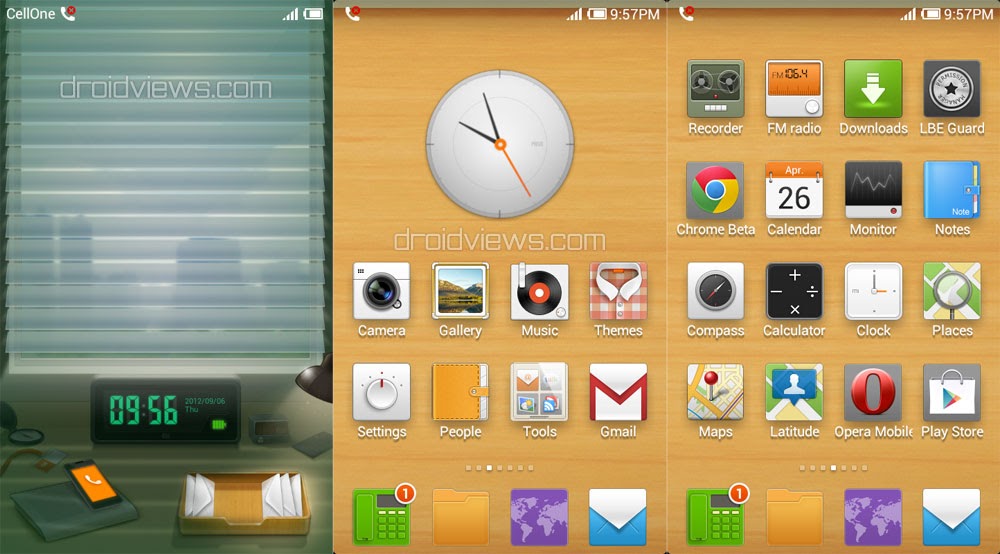
You must not have forgotten the Angry Birds Animated Desktop theme for MIUI V4/JB. The free desktop feature is an exclusive treat for MIUI V4/JB ROM users from Xiaomi. With the introduction of this feature in the ROM, MIUI has opened a new vista. So, here is the second theme for the free desktop developed my MIUI Theme Creative Group. This one is called “Warm Space”. The animated theme is very interactive in features. It looks just awesome with the setting of an executive office where every item contains a shortcut to a responding app. The theme also shows weather conditions but for that you must have MIUI Weather app installed on your device.
The theme works with all HDPI and XHDPI resolution devices with MIUI V4/JB installed without loss of quality. See the video for more details.
How to Use:
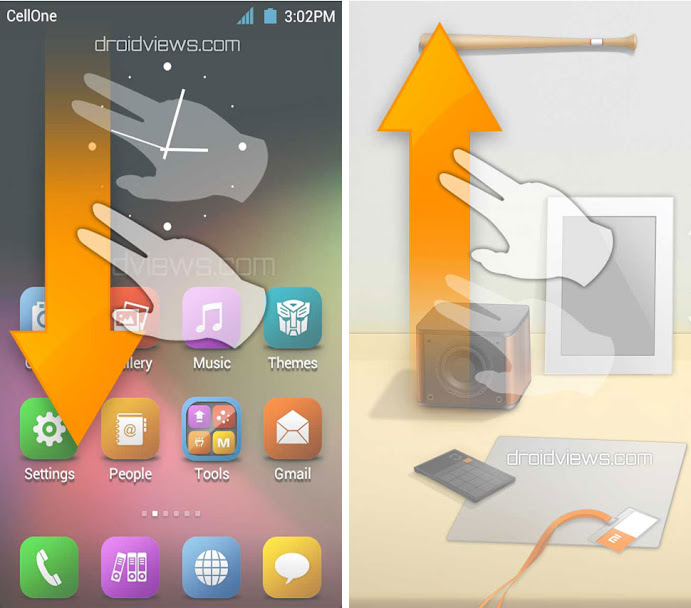
If you have used the Angry Birds animated desktop theme for MIUI, you will not any problem to use this one. To launch the Warm Space animated desktop theme (or any other such theme for MIUI) from your regular MIUI homescreen, swipe your two fingers together from up to down. And to go back to the normal mode, swipe from down to up side.
The theme has a very cool lockscreen theme. To unlock the device, simply slide up the window curtain. To open call log and messaging, just drag the phone and envelop box icon upward.
Download
Warm Space Animated Desktop Theme
Warm Space Animated Desktop (Modified Version)
A guy named m4ssimo has release a modified version of the theme. Check out the changelog below:
Changelog v1.0:
- Added magazine rack for app: email
- Added magazine rack for app: gmail
- Added pastels for app: theme
- Modified the shopping bag. Now with icon and link of Google Play Store.
- Added globe for app: browser
- Modified the correct link to app: camera (For Samsung phone)
- Modified the correct link to app: fmradio (For Samsung phone)
- Added the book for app: Google Books
- Added the magnifier for app: Google quicksearcbox
- Modified the correct link of map for app: Google Maps
New Warm Space (Modified & Translated)
Here is another modified version of the official free (animated) desktop theme “Warm Space”. It has a few more shortcuts and different weather backgrounds than the stock ones. To discover what is new with this one.
Another Version of the Warm Space (Modified)

Binghan H from MIUI China has come up with another modified version of this free desktop theme. You can download it below.

hey dude !!!! can u tell me how to do this swiping actually it isnt working for me or i may not know how to use it
if you want you can contakt
What do you mean?
I am left lena
hello
Hello, i have a xiaomi mi two and i tried all version above…only the New warm space works, but i can’t see the weather on the window…can you say me how modify the weather source?
I am using galaxy s3 BTW
For weather you need to have MIUI Weather app installed on your phone.
But I don’t know where to get this app.
Its’ only available to MIUI China users for now.
Great theme! I have a Galaxy Nexus with the latest version of MIUI installed, but when I install the modified version, the clock is missing. Is this happening to anyone else? Thanks in advance.
Hey, I did not notice that. Will check it when I flash MIUI on my SGS3.
here is the screenshot n video
You are right. I will try that on my SGS3 too today and try to see into the matter.
i have tried with both themes but as soon as i out two finger and swipe down it activates edit widget screen rather than changing the the look
If you long press the homescreen, it will activate the Edit Widget Panel. Jusr swipe the two fingers from just below the status bar towards the bottom of the screen.
i tried it ,i will post the video if you want ,as soon as i slide down fingers it activates the widget edit screen
I would like to see and also tell me your device model.
I Have Galaxy Note II [N7100] And I’m Also Having Same Problem ! The Theme That I Downloaded From Original Store Works With MiSpace But Your Provided Themes Doesn’t Have MiSpace ! I Tried Two Finger Swiping But No Luck ! There Is Home Setting Missing In Your All Provided Themes !!
MIUI does not support themes downloaded from any site other than MIUI market.
i saw there that the miSpace is located In Favourites Bar Part.So We Can Use MiSpace In Any Theme But Can’t Change MiSpace Theme 🙁 Any Way To Get MiSpace From Non-Market Themes ??
hi there, i have wiui v4 for moto defy…i installed this theme..but i cant get to free desktop by swiping…do u have to download separate free launcher???
No, you do not need any separate launcher. This if for Stock MIUI ROM ICS/JB. You must be making some mistake. Use two fingers to swipe. See the image above and try again.