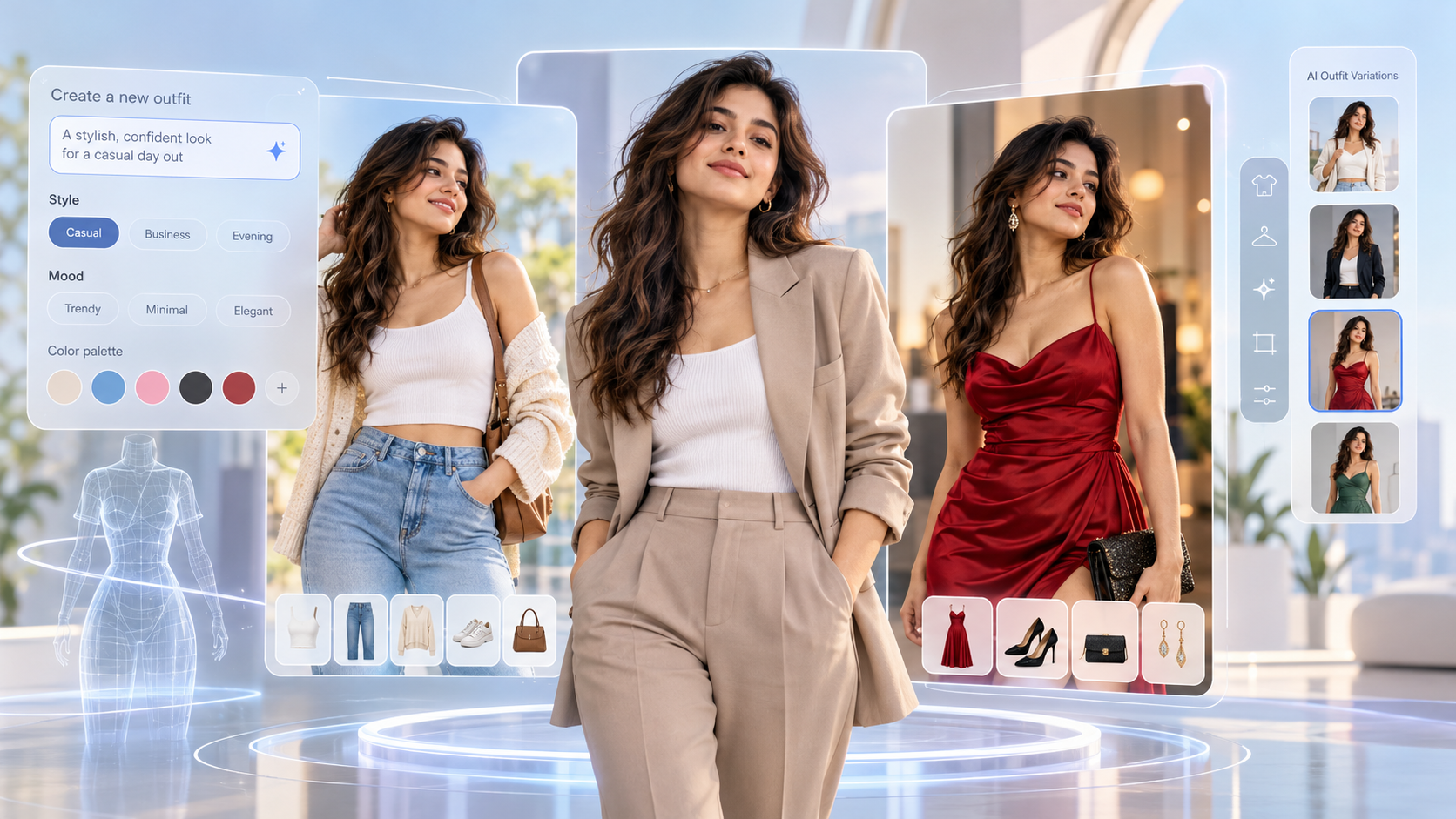
When you are able to try on various outfits prior to buying anything, shopping for clothes becomes more creative. Dreamina AI enables you to bring fashion concepts to life by generating images, providing reference photos, detailed prompts, and strategic photo editing. You can try out different silhouettes, colors, accessories, and garment styles without having to schedule a photoshoot. Images created, however, are merely styling ideas and not proven fit samples of actual garments. This knowledge makes the virtual exploration of outfits more of a reality before purchasing them.
What Is AI-Powered Virtual Outfit Try-On?
AI outfit visualization involves image generation to show an individual in a suggested outfit. Dreamina AI can convert fashion text and reference pictures into visuals with various styling directions. General image generators are not necessarily body-geometry-aligned, as are some virtual try-on systems. The photographs can be used as a reference to help the subject look, pose, and compose, as well as the prompt, which indicates the fabrics, colours, patterns, and accessories. Fabricated clothing can vary from actual clothing in fit, proportions, texture, and construction. So use these previews as creative styling tools and not as product measurement or fit replacements.
Choose the Right Reference Image and Define Your Style
Always begin with a clear photo that clearly indicates the subject’s pose and the area they will be wearing the clothes. Choose to change an entire outfit, try one piece, or try some accessories. Talk about individual pieces of clothing: a custom-made blazer, loose-fitting pants, or a summer dress. Specify preferred color, fabric texture, silhouette, and occasion to provide Dreamina AI with more visual guidance. An AI image generator free online will allow you to experiment with fashion ideas without having to book a photoshoot. However, lighting, cropping, ambiguous prompts, and ambiguous references can influence results, so include helpful visual cues and realistic expectations.
Steps: Try on Outfits Virtually Before You Buy With an AI Image Generator
Step 1: Upload your photo and describe the outfit
- First, sign up or log in to Dreamina to start trying on outfits before buying.
- Next, open the “Create” tab from the left menu and pick the “AI Image” option.
- Later, enter a detailed text prompt covering outfit elements, fashion theme, and your overall concept
Step 2: Pick a model and fit settings, then generate
- Next, pick an image model from the options at the bottom of the dialogue box.
- You can select Seedream, GPT Image, or Nano Banana based on the look you prefer.
- Add a reference image of yourself or a garment to get a natural, precise fit.
- Next, set the custom aspect ratio and resolution using the “Aspect ratio” and “Resolution” tabs.
- Choose the number of looks via “Images to generate” and the custom size via the “Dimensions” tab.
- To add text to the image, use the “Draw text on image” tab for labels.
- Finally, click on the “Generate” tab to begin the creation process and see your outfit
Step 3: Refine the look and export
- You will receive the required number of outfit drafts, ready for you to review closely. If the fit looks off, click “Edit prompt” or “Regenerate” to refine the generated results
- You can also upscale the generated image with the “Creative upscale” option for sharper fabric.
- Moreover, use “Retouch” to correct, clean up, or enhance details of your selected outfit image.
- You can “Remove” anything from your image, or widen the frame using the “Expand” tab.
- You can also generate a video of the image by using the “Generate video” tab
- Dreamina gives you complete freedom to edit every outfit image exactly the way you like
- Finally, click the “Download” tab at the top right to save the image file locally.
Six Fashion Details to Specify for More Convincing Outfit Visuals
With clear instructions, Dreamina AI can generate more coherent fashion concepts. When you write prompts for imagining an outfit, give these six pieces of information:
- Garment silhouette: Use terms that describe the silhouette of a garment rather than using general fashion terms.
- Fabric appearance: Ask for denim texture, satin sheen, knitted softness, etc., but be aware that generated materials may not be the same as actual fabrics.
- Colour coordination: Identify the primary colours of clothes and any secondary colours, explaining what colours should be kept as background.
- Layering structure: Shirt, jacket, coat placement – visible collars, cuffs, hems, and overlaps.
- Accessory placement: Identify where bags, belts, jewelry, hats, or scarves will be placed and how they will enhance the clothing without taking away from the critical points.
- Styling atmosphere: Set casual, formal, editorial, sporty, or seasonal style; provide appropriate lighting and backgrounds.
Experiment With Different Outfits Without Rebuilding the Entire Concept
With prompt revisions and editing tools provided by Dreamina AI, users can experiment with various styling directions with ease. Use the original reference image as you try out various palettes, outfits, shoes, and accessories. Identify formal, casual, street, and occasion-specific clothes and compare them by their appearance. If localized editing is available, it is better to edit localized areas rather than the whole composition. Test one or two instructions by altering them to determine which instructions give the desired results.
Use AI Outfit Visualization for Different Styling Situations
Dreamina AI is used for fashion exploration in everyday, special occasion, seasonal, and creative fashion. Use these apps to create ideas for outfits before making the actual outfits.
- Wardrobe for everyday wear: Mix shirts, pants, skirts, jackets, and casual shoes.
- Occasion Dressing: Think of workwear, party wear, formal wear, and wedding guest wear.
- Seasonal styling: Try different coat and knit combinations, layers, and appropriate seasonal wear.
- Explore color: Discuss complementary colors and alternate color palettes prior to choosing clothing.
- Personal styling concepts: Develop mood board images to link a number of clothing concepts together in one direction.
- Fashion content creation: Create editorial ideas for design presentations, inspiration boards, and social media graphics.
Understand the Limits of AI Fashion Previews Before Buying
Fabrication of garments may vary slightly from actual photographs of garments, such as seams, prints, stitching, etc. AI can also inaccurately depict body proportions, fabric drape, and the fit of clothes on various body shapes. So be sure to read the product dimensions, material descriptions, seller details, and return policy before buying. Images generated can’t necessarily determine comfort, durability, breathability, or physical fit. Utilize reference pictures responsibly and respect the rights of people depicted in the pictures, and don’t assume that visual similarities are proof of product accuracy.
Conclusion
With reference images, detailed prompts, and targeted editing, Dreamina AI assists you in bringing fashion concepts to life. Silhouettes, fabrics, colors, and accessories are described clearly, resulting in more useful styling comparisons. While a generated preview does not confirm actual fit or quality of products, it will give you a chance to explore possibilities before buying. Make better clothing choices with these visuals and trusted product information
Join The Discussion: