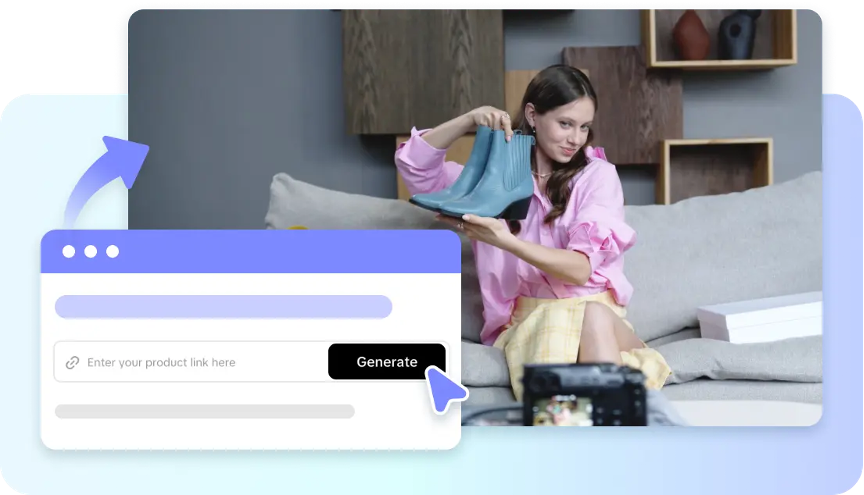
The old-fashioned technique of redesigning the scene of a video takes time due to several processes of cutting, compositing, resizing, masking, and visual editing that may be performed. When there are many changes to the concept, performing those tasks becomes more cumbersome. The advantage of generative AI is that it offers an innovative prompt-based approach, in which creators can simply explain visual changes in natural language. There is no need to recreate the scene from scratch; just come up with new variations by using creative instructions. Pippit’s AI video-making features can be complemented with flexible editing instruments giving unlimited possibilities to experiment with the scene in videos commercial, social, or advertising.
Redesigning a Scene in an AI Video Production
Scene redesign refers to the changing of the visual space, motion, composition, atmosphere, or delivery of a video without changing its overall message. It is not mere editing or rearranging; it is a change of the idea of the video. Text prompts in the Pippit AI video generator enable setting a new location, camera movement, light, or action of the subject. If the text fails to convey all the necessary information, reference images can help with the necessary visual specifications.
Modifications You Can Make With AI Video Editing
AI editing of videos can assist with many creative tasks as long as prompts are explicit enough. The changes in terms of motion, appearance, context, framing, and composition can be clearly described without the need to employ any problematic artistic terms. The key is to establish what to keep and what to alter. With Pippit, you can experiment easily by changing the parameters of video creation until you receive the desired result. Here are some design modifications:
- Appearance: tweak any background, environment, colors, or lighting.
- Motion: make the product move or make an action, use camera movement, or make dynamic transitions.
- Mood: change from calm to dynamic, tense, dramatic, etc.
- Composition: change the size, framing, perspective, and placement of the subject.
- Format: adapt the scene for different formats, including social media and advertising.
Steps for Changing Scenes without Manual Changes Using AI Program
Step 1: Set Up Scene Changes
- Sign up for Pippit using your account on Google, Facebook, or TikTok.
- Log in to your account and click “More” on the left side of your dashboard, then choose “Video Generator”.
- Select an AI model from a number of options such as Dreamina Seedance 1.0, Dreamina Seedance 2.0, Dreamina Seedance 2.0 Fast, Dreamina Seedance 2.0 Mini, or Dreamina Seedance 2.5.
- Provide a detailed prompt explaining how you want to modify your scenes.
- Select video language, length, subtitles, and aspect ratio.
- Click “+” and upload any necessary reference images/videos saved on your computer or phone or Dropbox or a link. You can also choose already available assets.
- Hit “Generate” to create your video.
Step 2: Change the Scenes Automatically
- Pippit’s AI video generator will start creating your video using the prompt you input and reference materials you provided.
- The AI will take care of all transitions, pacing, captions, avatars, voice, lyrics, as well as visual improvements.
- Watch your generated video to see the changes.
Step 3: Finish up
- Hit the “Download” button located on the top right to save your video. You may also click “Regenerate the video” for another variation or use “Edit further” at the bottom of the video to proceed with editing.
- Alter the caption, add some text, adjust size, color and alignment or add different filters or effects.
- Use the background music or remove the background if needed.
- Once done hit “Export”.
- Select “Publish” to post on TikTok, Instagram, or Facebook or use “Download” for whatever format you need.
Initiating Pippit’s Redesign of Scenes
The first step in redesigning a scene is ensuring you have a clear brief in place. This means specifying the key elements of the original scene, including subject matter, setting, settings, layout, and any notable visual features. Next, define what the envisaged alteration entails. Examples include a modified environment, physical changes, and a different visual style. Identify those elements that must still be apparent, like products, logos, people, objects, and those valuable brands. If required, specify the framework of the original scene, i.e. the impact of lighting, mood, intensity, cinematic quality, and color palette. If motion is paramount, describe how the camera and the subjects are meant to move, too. Review the changes to see if the created variation is satisfactory, and if it is not, revise your instructions accordingly.
From Static Images to More Dynamic Scene Designs
When coming up with new ideas for a more dynamic scene, Pippit can benefit from a number of proper images. For instance, a still image of a product can serve as a starting point for a presentation, with the assistance of the camera’s motion. Special Seedance 2.5 image-to-video workflows make it possible to have regardless of the time-consuming traditional animation processes. The narrative behind a static image can also be enhanced through the use of different scripts, voiceovers, and captions. All of these methods are applicable for the creation of social posts, product releases, presentations, educational content, and storytelling.
Knowing When to Recreate Rather Than Change
If a scene produced is not close to the vision needed, it would be more sensible to regenerate it. Whenever the prompt, settings, action, framing, or atmosphere are incorrect, regenerating the prompt is capable of solving the issue better than making modifications to each of the elements. Thus, one can use more detailed prompts to make the subjects, settings, actions, camerawork, and visual style clearer. However, small mistakes such as writing mistakes, design, layout, or minor details can be fixed better manually. The mix of creating and editing used by Pippit makes mixing automatic change and accurate ‘tweaks’ possible.
Maintaining Cohesion of Redesigned Scenes
Visual coherence throughout the project is important in the process of the scene redesign. The prompts should remain coherent regarding repeated themes, brands, color schemes, rhythms, formats, and story development. The lack of what is described above can lead to significant changes of the scene in terms of design, size, lighting, and motion of the generated elements. It can be useful to resort to reference materials in order to strengthen the common visual features of the repeated images and get more contextual information. Keeping the format also helps maintain the content’s fidelity across its sources. Pippit’s editorial tools will clean and harmonize separately created scenes to ensure the use of the same captions, effects, soundtracks, frames, and so on.
Final words
AI has changed the process of scene redesign from a series of repetitive actions to an effective creative process. Using Pippit, the creator will manage to use all the details of prompts, referrals, creating, regenerating, and refining in one process. It allows minimizing the use of standard edits but maintain control over the final product. However, one should remember that it is necessary to undertake careful steps in managing the scene.
Join The Discussion: