Multitasking is an important part of Android, especially on those giant smartphones. Switching between apps is an important activity of everyday Android user. You must already know that the more RAM you have the faster app switching process will be. Although the recent apps option is quite good and phablets are getting the floating windows feature for improved multitasking, things can always get better. That’s where third-party apps come in play. The ability to be able to switch back and forth between various apps makes navigation on Android easy but some awesome third-party multitasking apps make app switching process a breeze.
One such app is Swiftly Switch and as the name suggests it let you switch between apps swiftly. There are lots of third-party apps that are offering the similar way of multitasking. Nothing new has been seen in awhile and I guess that’s not needed anymore. Now it’s all about refining what’s already available and that’s what Swiftly Switch does. I won’t say it’s the best multitasking app but it certainly is awesome.
Upon installing the app you’ll first have to grant it access to your usage statistics and accessibility settings. Your usage statistics will be used to track what apps you use the most so that it can offer appropriate apps and accessibility settings is used to offer navigation options like home, back, etc.
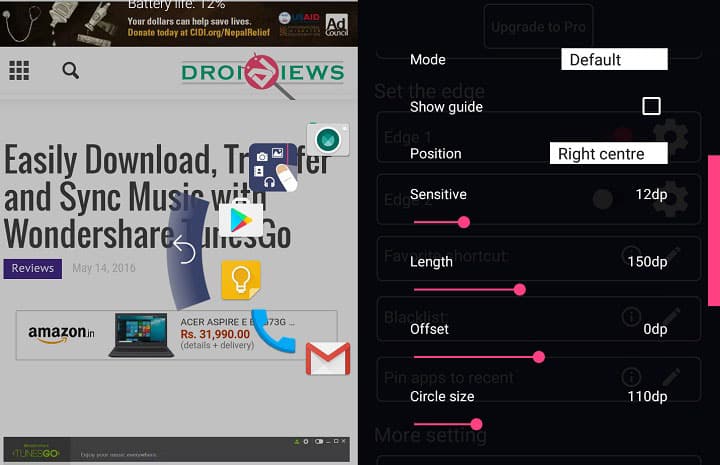
In terms of functionality, you get the usual semi-circle panel that hosts your apps and is accessible from an outward swipe from the edge of the screen. The panel hosts 6 apps and a few navigation options like home , back , and extending status bar. Another option, which I find really cool, is the option to switch back to the last used app. Let me clarify, at present, to go to the last used app you have to make two taps – the first one is the recent apps button and the second tap is to select that app from the recent apps menu. Hence, two steps. But with Swiftly Switch, this can be done with just a single tap. If this sounds something like you already know, it’s because this feature is going to make its debut in Android N.
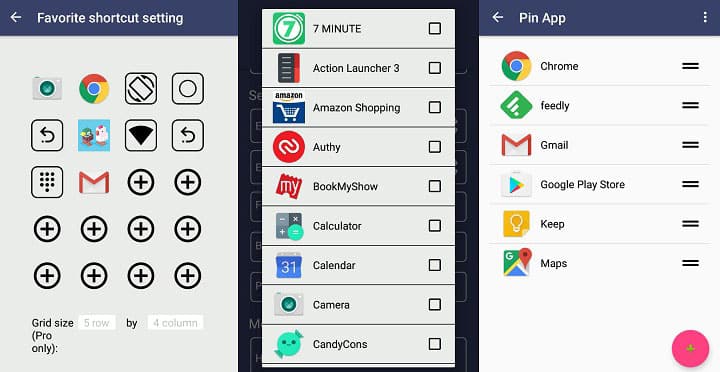
In terms of customization, you get options to select edge for swipe, apps & shortcuts, sensitivity, length, offset, the size of the circle, haptic feedback, support for icon pack, pinning apps, blacklisting apps, editable background color, and much more. While some features are available in the free version, you’ll have to spend some cash to get some extra features.
So it’s time for the final verdict. I’ve been using it for a week or so and I will recommend you to try it out once. You may like it, I surely did. It doesn’t take up much space or RAM. You won’t even see it until you want to use it. So give it a try and tell us whether you like it or not in the comments section below.
[googleplay url=”https://play.google.com/store/apps/details?id=org.de_studio.recentappswitcher.trial&hl=en”/]


Join The Discussion: