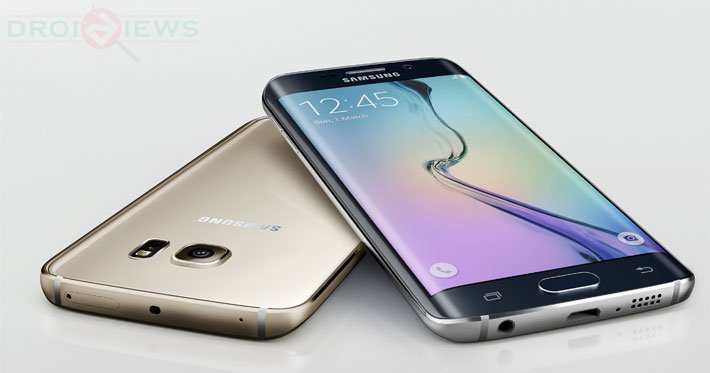
What’s the first thing any Android enthusiast thinks of after getting a new device? I am sure you know the answer. Many people don’t go for a new phone unless they are sure it can be rooted. The owners of Android devices with locked bootloaders might need to wait for a working root method but if you got an unlocked device, there’s good probability that you’ll get root and custom recovery for your device.
If you remember, Chainfire released the CF-Auto-Root packages for the T-Mobile and some other variants of the Galaxy S6 and S6 Edge even before their public release. As time passes, he’ll be releasing his root packages for other models too. Anyway, unlike other Android OEMs Samsung usually releases too many variants of it flagships based on network compatibility and processor type. This time, however, the company has dumped Snapdragon in favor of its in-house Exynos Octa core processor that has been used in all S6 and S6 Edge models. We recently posted a tutorial on rooting the Galaxy S6 Edge SM-G925I using the CF-Root file for the TMO variant.
Our today’s guide is about acquiring root privilege on the Galaxy Edge SM-G925F using Chainfire’s root package. If you have ever owned any Galaxy device and have used Odin to flash the stock firmware or CF-Root, you’ll find the procedure quite easy and familiar.
Preparations:
- Download root package for your Galaxy S6 Edge: CF-Auto-Root-zerolte-zeroltexx-smg925f.zip
- Download and install the latest Samsung USB Drivers on your computer.
- Go to Settings> Developer options and enable USB Debugging on your Galaxy S6 Edge.
- Also, disable Verify App via USB option in Developer options.
Root Samsung Galaxy S6 Edge SM-G925F
Once you are done with the preparatory steps described above, you are all set to proceed with the real action.
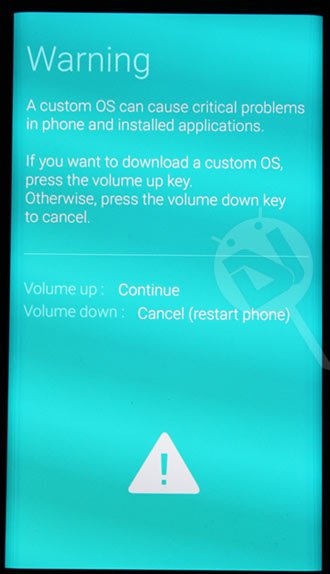
- Turn off your S6 Edge and reboot it into the Download Mode. To do so, hold the Volume Down, Home and Power buttons simultaneously while your phone is switched off. When you see the warning screen, press the Volume Up key.
- Now unzip CF-Auto-Root-zerolte-zeroltexx-smg925f.zip and open the extracted folder.
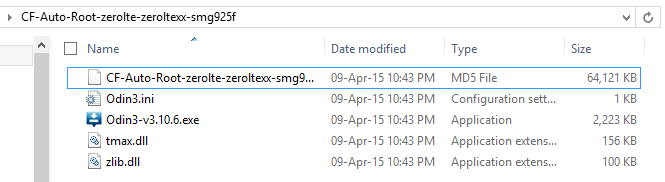
- Run Odin3-v3.10.6.exe as administrator.
- Make sure the ID:COM port on Odin is highlighted. It shows successful connection between your PC and phone.
- Now click the AP button on Odin and select CF-Auto-Root-zerolte-zeroltexx-smg925f.tar.md5.
- Finally, hit the Start button to trigger the installation and wait until it is finished.
- Your device will reboot automatically.
When your Samsung Galaxy S6 Edge SM-G925F boots up, it’ll have root priviledge. To verify root access, you can install the Root Checker app from the Play Store.
[googleplay url=”https://play.google.com/store/apps/details?id=com.jrummyapps.rootchecker”]

hello ,,, why cant i download the cf-auto-root file,,, it keeps saying my connection isn’t private i do have turned off my antivirus and extension in google is turned off when i try
Help!!! Rooted successfully. But Camera isnt opening after rooting on my S6 Edge. Wifi isnt tuning on. restarted my device several times.
PLEASE HELP ME OUT. PLEASEEE…
Running 7.0(Nougat).
thanks, work for me on 5.1.1
Not working on 5.1.1