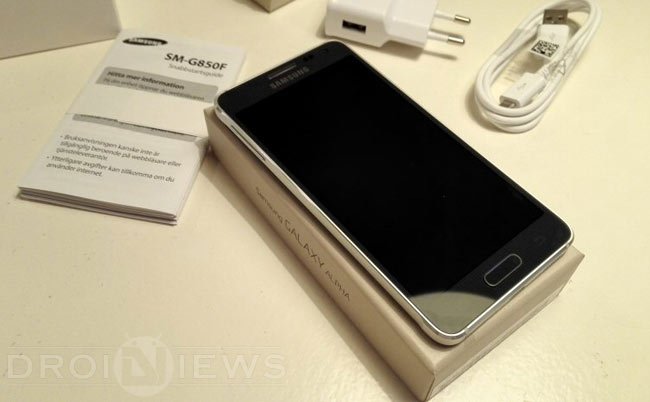
Portability is one of the important factors in smartphones and nowadays the slimness of the phone defines its richness. Even Apple’s iPhone 6 series also entered the slimmest phone competition, but the Droids are the first and the current best in this competition. However, a giant OEM like Samsung entering this competition is a giant leap in the Droid world. The Samsung Galaxy Alpha which is at a 6.7 mm thickness and spices up the competition with premium looks and dazzling design.
In the world of Android world, a device without root is like a bird without wings. In the contrary, the manufacturers see the Root as the forbidden fruit and rooting a device is sinful and kills the warranty once rooted. However as Android enthusiasts, we are sworn to commit such sins for the good of all. So here we are today to show you how to root this Slim Smartphone from the Korean manufacturer. As usual, the root for this device comes from the mind-boggling developer, Chainfire, who is behind the development of SuperSU and CF-Auto-Root.
So, let’s see how to root Samsung Galaxy Alpha SM-G850F using CF-Auto-Root by following the simple step-by-step guide below.
WARNING
This guide is intended only for the Galaxy Alpha with the model No SM-G850F, not for any other device of Samsung. Be extra cautious when you choose the root firmwares as flashing wrong firmwares might result in a bricked device.
Rooting and flashing firmwares will void your device warranty either temporarily or permanently. You alone are responsible for any consequences that might occur during the process. DroidViews or any of its community members shall not be held responsible for any damage to your device.
PREPARE YOUR DEVICE
- Charge your Galaxy Alpha above 60% battery level to avoid shutdowns during the process.
- Enable USB Debugging: Link
- Install Required USB Drivers: Link
- Backup your device storage, Contacts, SMS etc. using Google Sync service or any third-party app.
DOWNLOADS
Download CF-Auto-Root Package → Click Here
ROOT SAMSUNG GALAXY ALPHA
- Download the CF Auto Root package for your Galaxy Alpha and extract it to your PC. You’ll get an Odin flashable file in the .tar.md5 format.
- Flash the .tar.md5 using Odin. You can follow our exclusive guide on flashing firmware and CF-Auto-Root using Odin → Click Here
- During the CF Auto-root process, if the device is stuck at bootlogo, remove the battery and boot into recovery mode manually to start the rooting process.
That’s it! Your Galaxy Alpha is successfully rooted and you’re ready to use advanced applications on your device.
Join The Discussion: