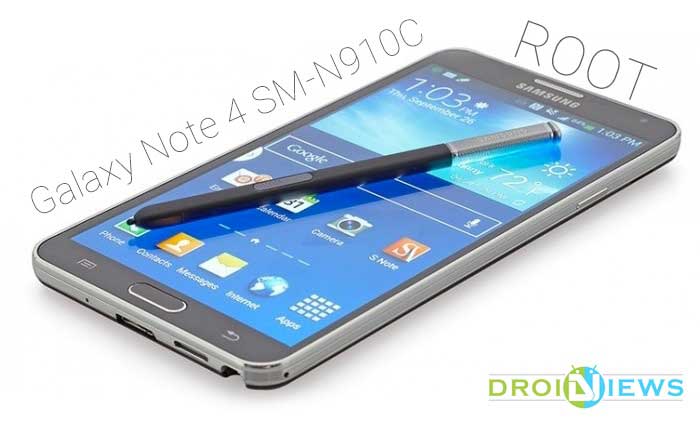
The Galaxy Note 4 is not yet completely out in the streets, but the legendary developer Chainfire has did it again by rooting most of the Note 4 variants with his popular CF-Auto-Root firmwares. The Galaxy Note 4 is released in many variants as all the Galaxy devices does, but the specs of the devices also changed as Samsung Chose to use its own Exynos chipset in place of the Qualcomm Snapdragon chipsets. The Note 4 SM-N910C model which is released in the Asia, Europe, South America has been powered with the Exynos chipset.
The Exynos chipset is powerful but doesn’t stand before the Snapdragons due to its incompatibility with the LTE bands. So the users of SM-N910C are limited to the 3G while most of their pals use 4G network on their devices, but you can tackle them with the beautiful mods and tweaks for the popular device like Note 4. Since this model comes with an unlocked bootloader, the development of the device is much more easier, so chin up. The first step to awesomeness on your device is to get rid of all the junk on your device, for which you need to root your device.
So root your device with the popular CF-Auto-Root firmware which can be flashed using the Odin flashing tool. The CF-Auto-Root firmware flashes the stock recovery and cache along the SuperSU binaries and SuperSU app, so that users can keep their devices as close to stock as possible. So follow the step-by-step guide to root your Galaxy Note 4
WARNING
This Guide is intended only for the Galaxy Note 4 with the model No SM-N910C, not for any other device of Samsung. Be extra cautious when you choose the root firmwares as flashing wrong firmwares might result in a bricked device.
Rooting and flashing firmwares will void your device warranty either temporarily or permanently. You alone are responsible for any consequences that might occur during the process. DroidViews or any of its community members shall not be held responsible for any damage to your device.
PREPARE YOUR DEVICE
- Charge your Galaxy Note 4 above 60% battery level to avoid shutdowns during the process.
- Enable USB Debugging: Link
- Install Required USB Drivers: Link
- Backup your device storage, Contacts, SMS etc. using Google Sync service or any third-party app.
DOWNLOADS
Download CF-Auto-Root Package → Click Here
ROOT SAMSUNG GALAXY NOTE 4 SM-N910C
- Download the CF Auto Root package for your Galaxy Note 4 and extract it to your PC. You’ll get an Odin flashable file in the .tar.md5 format.
- Flash the .tar.md5 using Odin. You can follow our exclusive guide on flashing firmware and CF-Auto-Root using Odin → Click Here
That’s it! Your stunning Galaxy Note 4 is successfully rooted and you’re ready to use advanced applications on your device.

N910C is 4G supported!
New Exynos is compatible with LTE!
Hi! Pls help me activate 4G LTE on my device.SM N910C . I brought a 4g sim card but in the network settings I dont see option for LTE activation:(. Do stuck with 3g. Thanks