A key factor for the smoothness of a Smartphone is the efficient usage of the hardware resources without compromising the software features. Google designed Android such that the apps consume a limited quantity of resources leaving room for the user to install his favorite apps and games. But thanks to the manufacturers who add few more layers of customization to the vanilla Android shrinking the device resources and if you’re buying a carrier locked device, you’re once again going to suffer the wrath of bloatware from carrier end.
Samsung’s TouchWiz UI is undoubtedly great but not at the cost of constant freezes and low RAM issues. Getting rid of the bloatware is not so easy and requires a lot of effort from your end. Rooting your device and uninstalling the stock apps which you don’t use is one solution but they may leave some residual or linking apps which are of no use unless you have the parent app. So you need to know the entire set of app chain to remove the link, for instance, you need to remove AccuweatherPhone.apk and WeatherDaemon.apk to completely remove the weather app.
So looking at the big picture, you need to have a list of apps which fall in the same category and remove them all if you’re not using it. This process is tiresome and requires a lot of research, but thanks to SkywalkerZ of XDA you can now get rid of the bloatware on your Galaxy Note 4 with a few clicks on the SmartDebloater tool. The tool contains a library of bloatware app references where you can select the option according to the app you want to uninstall and the tool takes care of the rest. The tool is based on stock ROM and supports Odexed ROMs, you can choose from over 40 bloatware apps to remove from your ROM which includes Samsung apps, Google Apps and Carrier apps and you can also de-Knox your Note 4.
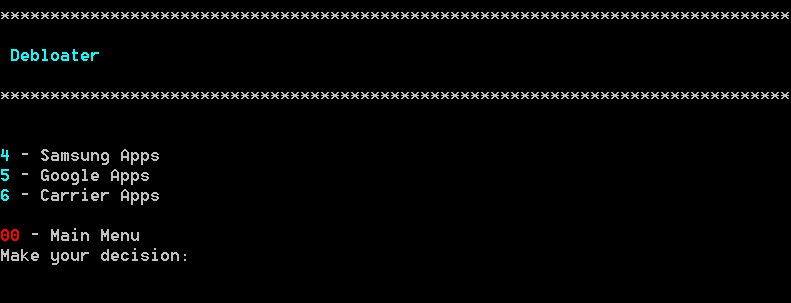
Using the tool is very easy and it is just like another batch script where you can do everything just by choosing options and press Enter key few times. Anyway, you can follow the procedure to use the tool from below:
- Drag and Drop the ROM/Zip file to debloat in Original folder of the Tool.
- Choose Option to Setup Working folder inside the tool.
- Now you can choose from over 40 apps to debloat and all you have to do is to choose the bloatware to remove in your ROM.
- After finishing the debloating, choose To Build option in the tool which will rebuild the ROM/Zip file.
- Finally, you can get your debloated ROM in Build folder.
Download the tool based on the Chipset you’re running as Note 4 uses Snapdragon 805 in some variants while others use Exynos chipset. For chipset information of Note 4 models.



I’ve downloaded on my phone but I have no idea what you mean by “Original folder of the Tool”. Also how do I drag-n-drop on the phone? I know how to do this on a PC but not on a phone.
good article. but i wonder if it works on android v5.0.1 recently released for the note 4
Yes, it would work.
in the smartdebloater thread on xda i found a comment where a person was unsuccessful trying the app on the lollipop ROM.
also the skywalkerZ (developer of the app) said that maybe lolipop would be supported in the future, but that hes doesn’t have the time now to develop smartdebloater further
I dont get it you install this on your pc, how do you get it on your phone?