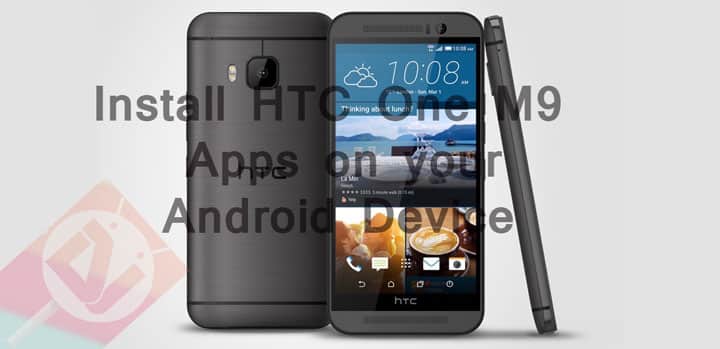
HTC One M9, the latest flagship phone from HTC has recently been launched and it’s making a big roar in the Android Community. With HTC One M9 comes the latest Sense 7 UI with Material Design and all exquisite applications from the ROM. HTC One M9 has always been celebrated for all new devices it has launched; not just for its hardware but also for its ROMS and the stock apps that come with it. HTC One M9 apps have always been favorite of Android users because of its beautiful design and smooth UI.
If you would like to have a taste of all the HTC One M9 apps on your Android device then follow this guide to do so. Plus, they come in apk files and just need to install them as you would any other Android application.
The good thing is, this does not require you to root your phone or flash it through custom recovery nor does it require any complicated workaround. However, these apps do not come from Google Play source and hence need to check the “Install Apps from Unknown Sources” option. You can find this option in Settings>Security>Unknown Sources.
However, some apps need to be placed in a certain directory in the System – that is in system/priv-app to be exact. HTC One M9 apps like Keyboard, Music player, Scribble, Calculator need to be placed in system/priv-app folder and need to set correct permissions and need a reboot; whereas remaining apps can be installed without any issue and can be installed from anywhere. All the files are zip files and need to be extracted first to get the apk files.
Installation Instructions for Music Player, Scribble, Calculator
- Decompress/ Unzip the files
- Put the folder in system/priv-app.
- Set correct permissions for folders and files.
- Reboot the device.
Installation Instructions for HTC keyboard
- Decompress/ Unzip the files
- Put the folder in system/priv-app.
- Set correct permissions for folders and files
- Install all apk files (including Language Pack “IME_TP_ValueAdd.apk”).
- Reboot the device.
Download HTC One M9 apps
Must Read: ApkTool – Decompile and Edit APK (Windows, Mac & Linux)



Join The Discussion: