ES File manager has been in the mobile world even before Android. After all these years, ES File Explores is counted among the elite file managers for Android. Today, ES File Explorer has received a new UI design. The User Interface looks exquisite and goes well with Android Lollipop’s Material Design. For users with Android Lollipop, the app covers the status bar and enables you the full-screen experience.
Besides the basic File Manager/Explorer function, ES File Explorer provides tons of useful features like Remote File Manager, ZIP and RAR support, text and all kinds of media viewers and FTP, FTPS, SMB, etc. It also features an inbuilt Root explorer so you no longer need to install a new app for your Android device to explore the system files. It also has an inbuilt cache cleaner and app manager.
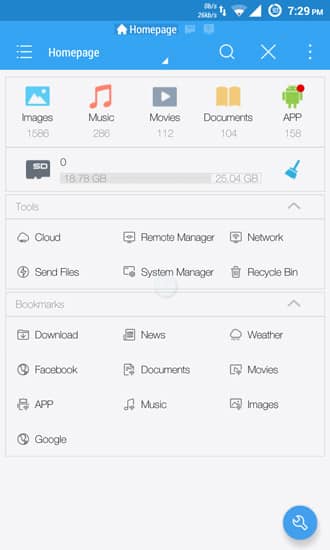
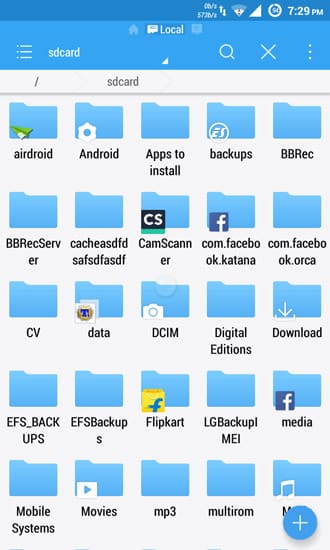
With this file manager feature, you can perform all operations on your local files just like you would on your PC. With Application Manager, you can categorize, uninstall, back up, and create shortcuts to your apps. When Remote File Manager feature is enabled, you can manage files on your phone from your computer.
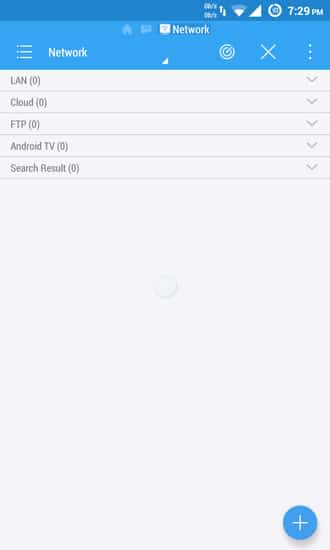
The built-in ZIP and RAR feature allows you to compress and decompress ZIP files, unpack RAR files, and create encrypted (AES 256 bit) ZIP files. ES File Explorer allows you to access your home PC with network protocols and access it through your smartphone via WiFi.
Root Explorer provides access to the entire file system and all data directories and allows the user to change permissions. It also sports Task Manager that kill tasks with a single click, increase memory and speed up your device. With cache cleaner, you can delete junk files that take up valuable storage space.

So basically, this is one app for everything. You no longer need to install a separate app for every feature listed in the ES File Manager. This will make your work productive and surely reduce some apps from your app drawer. ES File Manager is available on Play Store for free.
Read Next: Ultimate TWRP Guide – TWRP Recovery Features



Join The Discussion: