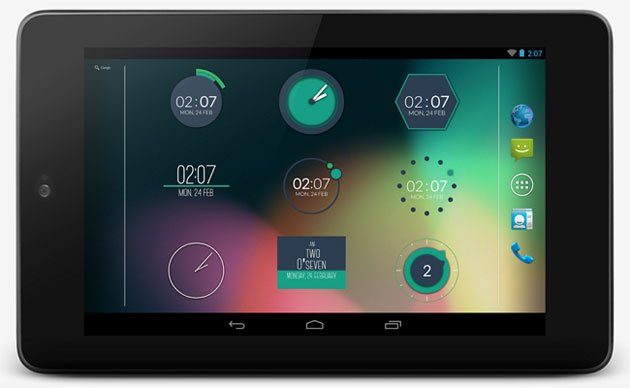
As passionate users of Android, we try our best to make our device look different and unique. If there were no possibility of getting refreshed look on our phone or tablet, we would get bored of it very soon. Thanks to awesome world of Android that allows us to customize every bit and byte of our device. You can find hundreds of third-party home launchers, custom widgets, live wallpapers to decorate your device.
If you have a rooted device, the possibilities are immense. You can not only optimize and customize the look and performance of your phone or tablet by installing custom ROMs and mods, but can also tweak it visually. No other operating system give us so much freedom as our beloved Android.
Wallpapers, icon packs and widgets are among the most used tools for customizing the look of the home and lock screen of our device. Keeping this in our mind, we keep sharing interesting stuff like wallpaper packs, clock weather widgets and good apps at DroidViews. Last week, we reviewed a wonderful app called XWidget, and we have discovered another nice widget app named Minimalist Clock Widget. I stumbled upon this app just by chance. The download stats of the app show that it quite new and very few people know about it.
Minimalist Clock Widget contains 16 minimal style and beautiful looking clock widgets. All widgets look good in their default form but using the widget options, you can customize their color, size, date and time format, text shadow, background and other components. All widgets are resizable and allow to assign themselves as shortcuts to some other app. Since the minimal clock widgets update themselves only when the screen is on, they consume less battery.
Screenshots:
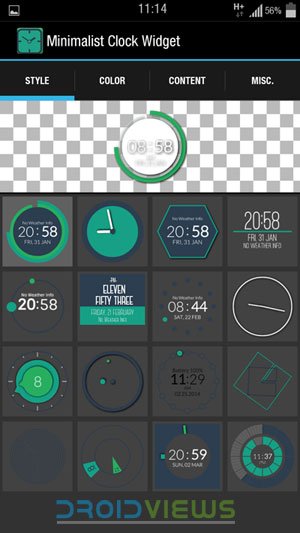
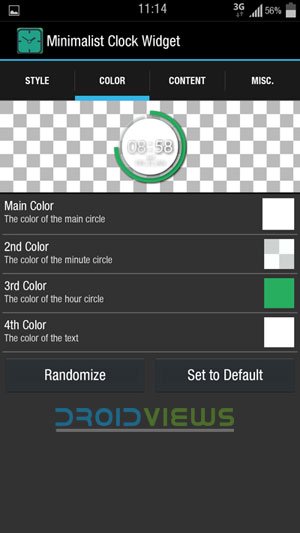
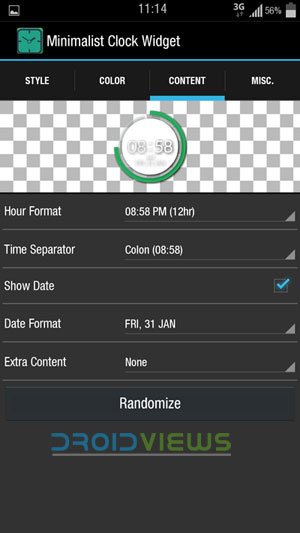

Download:
[googleplay url=”https://play.google.com/store/apps/details?id=com.jrl.minimalistclockwidget1″]Download and install the app, use and and do not forget to share what you think about you. Cheers!
Also See:
Pimp Your Android with Beautiful Custom Clock and Weather Widgets



Join The Discussion: