
Gestures on the screen, especially when its off are awesome and quite useful. But sometimes when your phone is in the pocket, the always on sensitiveness of the screen can prove troublesome. Any random movements can possibly simulate one of the easier gestures. The feature is there on the OnePlus 3T the software is originally optimized to make sure the screen doesn’t pick up any unwanted gestures while in the pocket. But if you’re using custom ROMs, there are some inconsistencies. You can get rid of these with the Control Center app for the OnePlus 3 and OnePlus 3T.
Recommended for you: Top 7 Custom ROMs for OnePlus 3T
What is Control Center?
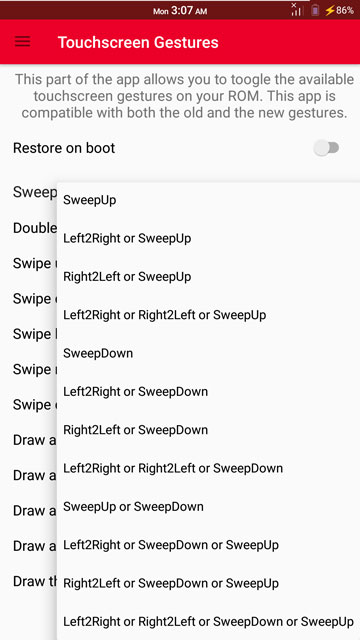


Control Center is the second iteration of XDA senior member rituj26’s original app called PocketMode. The purpose of the app is to provide a consistent experience across ROMs when it comes to off-screen gestures and the fingerprint sensor on the OnePlus 3 family. This is done by providing you the full control of your phone’s PocketMode service. The app disables all the off-screen gestures while the phone is in your pocket as well as the fingerprint gesture.
All the available gestures can be easily toggled on or off for convenience and it even allows users to swap the back button and the home button. Control Center also offers in-app theme options and the bug regarding the fingerprint sensor has also been fixed.
Download Control Center
Control Center APK [Original XDA Thread]
Must read: Enjoy All Pixel Features on OnePlus 3/3T with Pixel Experience ROM
Install Control Center
- When you have the APK, copy it to your OnePlus 3 or OnePlus 3T device.
- Go to Settings>Security and enable Unknown Sources if you haven’t already done that.
- Open your favorite file browser and browse to the downloaded APK file.
- Tap on it and install it like any other APK.
- Launch the app and grant it root access when asked.
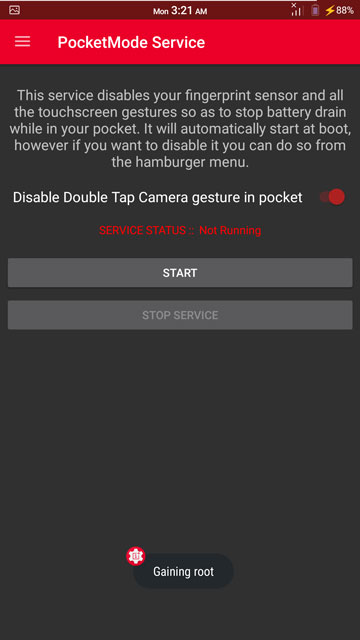
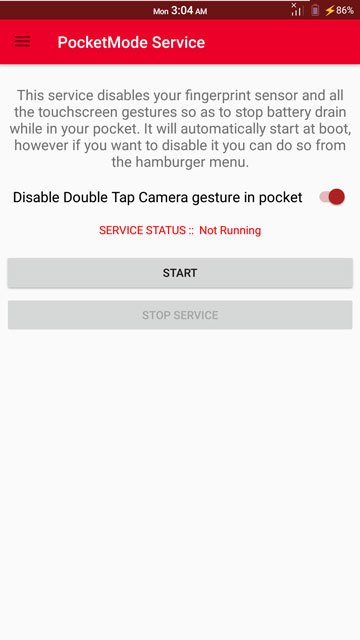

That’s all there is to it. You can now explore the app and turn gestures on or off and play with the various settings. Make sure you toggle the Restore on boot to on if you wish the features to stay after a reboot. In case you don’t do that you will need to start the app after every boot.
Editor’s pick: How to Configure Alert Slider on OnePlus 3 and 3T
The developer claims that the OnePlus 3/3T Control Center app works fine even if you have installed conflicting apps that also target off-screen gestures and the fingerprint sensor. However, we recommended that – if you prefer this app over any other apps that you may have for the same purpose – you either uninstall or freeze those apps to prevent system redundancies and avoid unnecessary resource consumption.
The developer also claims to have tested the app quite a bit but there still can be a few minor bugs here or there. Refer to the source link for more information about the app and perhaps bugs that have been reported.
If you decide to use it, do share your experience in the comments below.
Also read: How to Add More Volume Levels to Volume Slider on Android



Thanks a lot
But I would request you to please link to my xda thread instead of the download link directly because them people don’t read complete instructions.
And would also like to request you to remove the mirror.
Please seek permission before making a mirror and making it public.
Hi Rituj, sorry for the late reply. Just added the link to the XDA thread. 🙂
“Refer to the source link”.. Where is the source link? Also, open sourcing this app would be nice.
Right below the article
D’oh. Thanks! I was looking for a green text link.
You’re welcome.
There is problem parasing the packge .. what should I do??
It says the same for me as well .
Try re-downloading the APK. You can also try the older versions.
Already tried with lower version and another mirror too. But same error. Even downloaded on cloud and tried but no luck.
which version of Android are you guys on? The only Android Nougat version supported is Android 7.1.1
Good one!