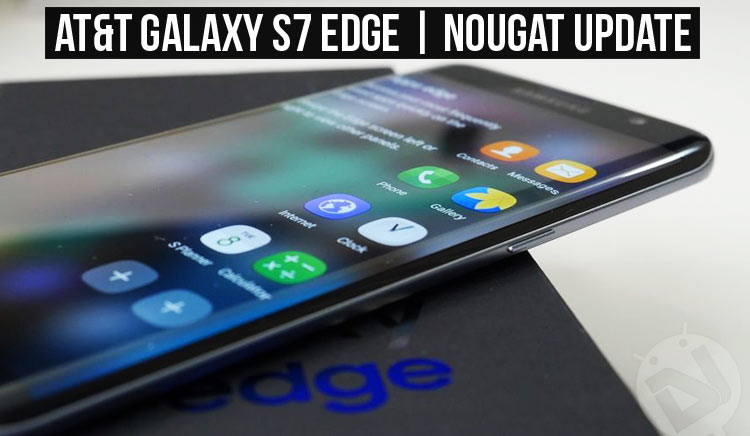
Many S7 and S7 Edge users who joined Samsung’s Nougat Beta program were able to get the Nougat preview OTA updates a month ago. The official roll out for the owners of the international S7 and S7 Edge began on January 15th. However, those who own the AT&T Galaxy S7 Edge had to wait longer to receive the Nougat OTA.
Just a few weeks ago, we published a detailed tutorial about installing the Beta version of Nougat (QA6), but today we are going to describe how we can install the official G935AUCU48QA6 Nougat OTA on AT&T Galaxy S7 Edge (SM-G935A).
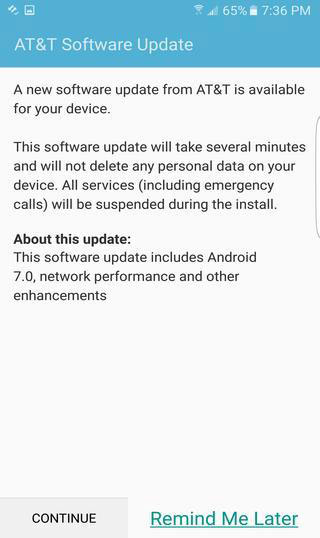
The QA6 Nougat OTA was captured and shared by some XDA member and we’ll be flashing this file on the AT&T Galaxy S7 Edge.
Preparations
Here’re a few preparations you need to make before flashing the QA6 Nougat OTA zip file on your AT&T S7 Edge.
- Flashing the OTA will not wipe any data on your device but we strongly recommend backing up all your data and apps using Smart Switch as a precaution.
- Go to Settings> Personal> Lockscreen and security> Find my mobile and turn off Reactivation Lock.
- Go to Settings> Developer options and enable USB debugging (this is just as a precaution).
- If you have disabled any system apps on your phone, go to Settings> Applications and re-enable them or OTA installation may fail.
- Make sure that your AT&T Galaxy S7 is properly charged.
- You will also need an external micro SD card.
UPDATE: AT&T S7/S7 Edge Android Oreo Update Available
Install Android 8.0 Oreo on AT&T Galaxy S7 & S7 Edge (SM-G930A/G935A)
UPDATE: Follow our new tutorial
Install Android Nougat Firmware on AT&T Galaxy S7/S7 Edge
Download G935AUCU48QA6 Nougat OTA for AT&T Galaxy S7 Edge
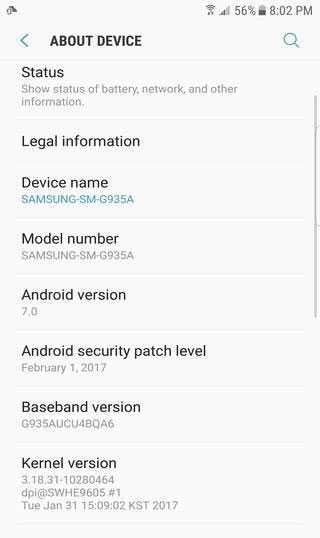
If your S7 Edge is running the G935AUCS4APJ4 firmware, download U4APJ4-to-U4BQA6.zip from below. In case the phone is on G935AUCS4APK1 firmware, you should download SS-G935AUCS4APK1-to-U4BQA6.zip. You find out your AT&T S7 Edge’s firmware version, go to Settings> About device> Software info and check the Build number.
If your phone is running on the Nougat Beta with build version BQA4, you’ll have to go back to you need to Odin back to PK1 and then update to QA6.
To download and install the G935AUCS4APK1 firmware, head to our tutorial.
Installing G935AUCU48QA6 Nougat OTA on AT&T Galaxy S7 Edge
- Having downloaded the required OTA Zip files, rename the first file to update.zip. Suppose you downloaded SS-G935AUCS4APK1-to-U4BQA6.zip, rename it to update.zip.
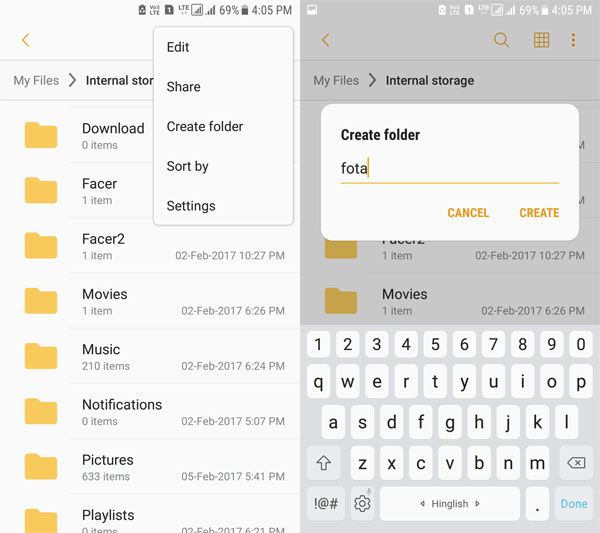
- Then create a new folder in the root directory of your external SD card and rename it to fota. To do so, open My Files app, tap the 3-dot menu icon on the top-right corner and select Create folder option. Now Type “fota” and tap Create.
- Copy the update.zip file to the fota folder you created earlier.
- Finally, power off your device.
- Now reboot your S7/S7 Edge into the recovery mode by pressing and holding the Volume Up + Home + Power buttons at the same time until you get into the stock recovery.
- Having entered the recovery mode, select apply update from external storage option (use the Volume up/down keys to navigate and the Power key to select).
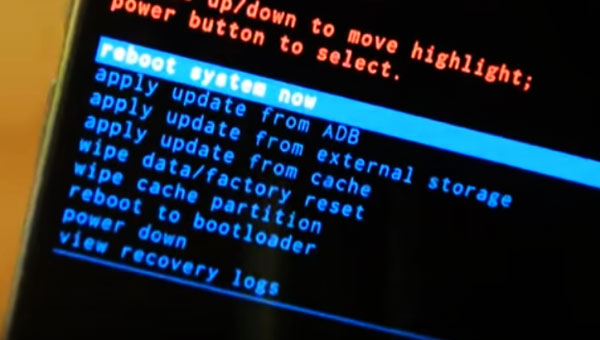
- Navigate to the fota folder on your external SD card and select the update.zip file.
- Finally, click Yes to apply.
- When the installation is finished, reboot your phone using reboot system now option. Done!
Having flashed the U4APJ4-to-U4BQA6.zip or SS-G935AUCS4APK1-to-U4BQA6.zip OTA file, your AT&T Galaxy S7 Edge will have the all new Android 7.0 Nougat installed on it. Enjoy the new features and do share your experience with us.
I have G935AUCU1APB5 which is the stock ATT. Can I use the above method to update it to Nougat?
Yes, you can but follow this tutorial instead: https://www.droidviews.com/nougat-firmware-on-att-galaxy-s7s7-edge-sm-g930a-g935a/