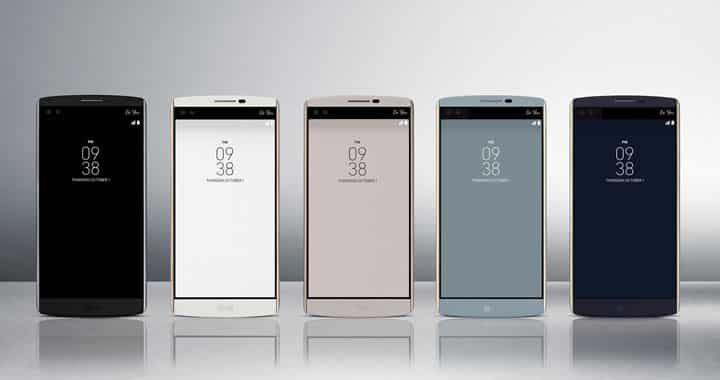
LG has finally started to roll out updates for its last year’s flagship device LG V10. It seems the Verizon variant is the first one to receive the update to Android Marshmallow. There are several ways to update your LG V10 to Android Marshmallow, the easiest one is to download and install the update over the air (OTA). But OTA sometimes takes few days to reach each and every device and if you are impatient to try out the new update then the next best option is to install the update manually. In this guide, we will be flashing the Marshmallow 22A update on your LG V10 manually using a PC.
The new update introduces all the features of Android Marshmallow like Now on Tap, Doze Mode, better App Permissions and few others. To know more about changes and what’s new in the update head over to this link.
Before starting off with the guide there are few things should keep in mind. Firstly if you are running a rooted device then after updating your device you will lose root access. Secondly, you may want to backup your data before proceeding. To do this you may use the LG Bridge software to Backup and Restore your data.
Things You Will Need
You will require a Verizon LG V10 and a PC to update our device using this guide. You will also need the following files for the update process:
-
Firmware
The update for Android Marshmallow (22A)| VS99022A_06_0222.kdz
-
LGUP (LGUP_8994_DLL_Ver_0_0_1_18.zip)
Download the LGUP file from this link.
-
LG USB Drivers
USB drivers required for LGUP to recognize your device|
Steps To Follow
Step 1. Download the firmware file on your PC from the link given above.
Step 2. Now download and install Lg USB drivers on your PC from the link given above.
Step 3. Now download the LGUP_8994_DLL_Ver_0_0_1_18.zip from the link given above. Extract the contents of this rar file using any unzipping tool you have on your PC. On extracting, you will get two files and a folder named ‘common’.
Step 4. To install LGUP you will need to first install the LGUP_8994_DLL_Ver_0_0_1_18.msi file on your PC and then you will have to install the second file named ‘LGUP_Store_Frame_Ver_1_14_3.msi‘. Now copy the ‘common’ folder to this location: C:\Program Files (x86)\LG Electronics\LGUP\model.
Step 5. Now connect your phone to your PC using a USB cable. Then start the LGUP software on your PC. You should see your device connected in LGUP software if LGUP does not recognize your device then take out the battery and insert it again while keeping the USB cable connected. Your device should restart and you would see your devices as connected in the LGUP software.
Step 6. Now if you want to keep your data and want to upgrade to Marshmallow proceed with following steps (without wiping any info/data):
- Choose File Path as the path for the firmware (KDZ) file you have downloaded.
- Make sure BIN file is ticked.
- Also, make sure you have clicked Upgrade.
- Now press Start and wait for few minutes.
Step 8. If you want to do a full wipe and install Marshmallow update then follow the steps given below:
- Change File Path to point it to the Marshmallow KDZ file you have downloaded.
- Shut down LGUP(Close it).
- Now open LGUP again. You will notice that the KDZ file is already showing in the FILE PATH section.
- Now select REFURBISH and make sure BIN file is ticked.
- Press Start and wait for few minutes.
Step 9. Wait for the process to finish, then reboot your device.
Congrats! You have successfully updated your Verizon LG V10 to Android Marshmallow with firmware version 22A.
Need help? Leave us your queries in the comments section below. We will tr our best to resolve your issues.



v10 on sticker h900 and the motherboard is vs990 i am confused which one is ok my mobile is v10 at&t..
v10 on sticker h900 and the motherboard is vs990 i am confused which one is ok my mobile is v10 at&t..
please v10 vs990ss kdz file send me on my gmail..rkhan1723@gmail.com
Are you going to update your info for when android 7.0 comes out for the V10?
A link to the LGUPV10.rar file is nowhere to be found in this article.
The link was already there: https://www.droidviews.com/download-lg-flash-tool-to-flash-kdz-and-tot-firmwares/
but it had a different name that caused confusion. I later updated the guide but forgot to rename the file name. Sorry!
Thank you for taking the time to reply.
i cant seem to find the file path. i downloaded the firmware link but when i go to find file path i dont see any option to use the downloaded one. im not sure if i need to unzip the firmware and even if i did i dont know how to.
Try to download from here: http://lg-firmwares.com/download-file/?fileId=427
Hi, just found a better download link. Try this: http://storagecow.eu/Xda/LG%20V10/Verizon/VS99022A_06_0222.kdz