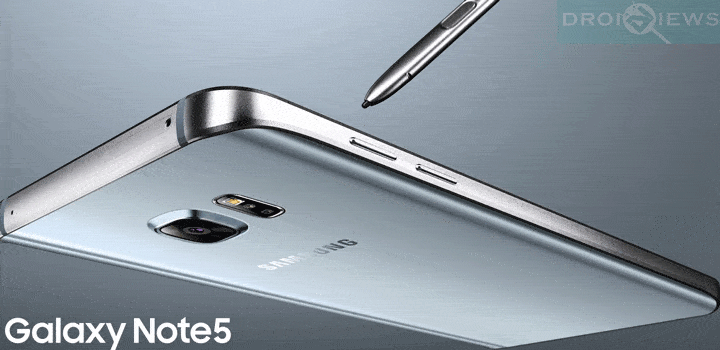
Here is one of the first custom ROMs for the Note 5 that goes by the name DarthStalker Note 5. The best part about this ROM is that it can be installed on any Note 5 variant be it Sprint, T-Mobile from US variants or a Canadian variant; the ROM has an Aroma installer using which you can choose your variant and customize all the apps you want. Moreover, the ROM provides tons of functionalities and features to choose from.
The ROM is based on The T-Mobile N920TUVU2COI5 5.1.1 baseband and has multi-carrier and multi-device support. Multi-device support meaning, the DarthStalker ROM can be installed on the T-Mobile Galaxy S6 Edge Plus and the Canadian variant too. Apart from this, the ROM has many other characteristics like root, zipalign, deodex, busybox, Wifi-calling, and more. For a full changelog and features, get to the developer’s page through this link.
The Aroma installer has many options to customize your installation like wipe and apps method, keyboard apps, camera apps, launchers and a lot more. As the ROM is Stock based, it is stable. However, the ROM may come with some minor bugs. For more releases, keep in touch with us.
Warning: Warranty may be void if you root or install a custom recovery on your device. We at DroidViews, shall not be responsible for any damage to your device whatsoever. We are not responsible if you brick or damage your device. Reader’s discretion is advised.
Download Section
- Download | DarthStaker ROM for Note 5 (File: DARTHSTALKER_NOTE5_V1.zip (1.8 GB))
Requirements
- The listed ROM is compatible with almost all Note 5 variants and some S6 Edge Plus variants mainly T-Mobile and Canadian. Confirm it in the AROMA installer.
- You need a Custom Recovery like TWRP installed on your device. Click here.
- You must have device drivers installed on your PC so that you can transfer the ROM file to your device’s storage.
- You must fully charge your device or at least to 60%, as the process may take a while.
Backup your Apps and Data
Before you proceed, make sure you backup all your data. This process will wipe all the data from your device except for the internal storage. Hence, a full backup or nandroid backup is recommended. Also backup all your internal storage files just in case anything goes wrong. Take a nandroid backup from the custom recovery before flashing the ROM.
How to Install DarthStaker ROM on Note 5
- Download the DarthStalker ROM from the download section.
- Now transfer the zip file into your device’s internal storage. Place the zip file where you can easily locate it.
- Now reboot into Custom Recovery (like TWRP). To boot into TWRP, press and hold volume down and power keys at the same time.
- It is highly recommended that you perform a nandroid backup. To backup your ROM, tap on backup option in TWRP and select the following elements: System, Data, Boot, Recovery, EFS and swipe right where appropriate, to backup.
- After performing the ROM backup, return to the TWRP main menu and tap the Wipe button and select Advanced Wipe. Then select Dalvik Cache, System and Cache. Now confirm the swipe operation to wipe.
- Go back to the TWRP main menu or home screen again and tap on Install option. Navigate to the ROM file and select it.
- Swipe the confirmation button to proceed with the installation.
- You will get into the ROM’s Aroma installer. Choose the Full Wipe method and mark all the apps you want to install.
- The ROM will get installed and the Aroma installer will then Reboot your device. Wait until the process completes and do not touch the screen unless asked to.
First boot takes a while. So be patient. When you see the boot logo, that means you have successfully installed the ROM on your device. If you come across any bootloops or face any system errors, you can restore your previous ROM from the backups. If you want to keep in touch with all the new updates and releases for the DarthStalker ROM, then get to this link. For queries, comment down below.
this rom it compatible with gsm network ?
this fuckin jackass
Straight from the XDA thread for this ROM: “No sprint support or anything based off cdma only gsm tmobile note5/s6 edge+ usa and canadian variants (rogers, bell, telus, etc…) for that matter.” SARANG….it’d be nice if you’d do your research before saying this ROM works with the sprint note 5…
thanks and to think i almost fucked up my phone. I have sprint…
Funny cause I have N920P was gonna install this till I read your comment. They need to stop saying its multi carrier its just multi device……
Installed on Sprint N920P Note5 & lost a EFS/Radio service