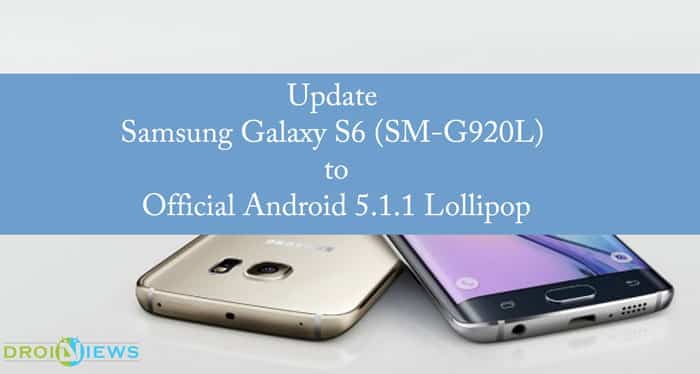
Samsung Galaxy S6 is definitely a polarising phone of the year 2015. It lives up to every expectation of a dream smartphone. The official touch of Android 5.1.1 Lollipop for Galaxy S6 (SM-G920L) was much awaited. Today we can finally feel the buttery experience from Android 5.1.1 Lollipop as Sammobile has uploaded Android 5.1.1 Lollipop the firmware for Samsung Galaxy S6 (SM-G920L) build on Tue, 07 Jul 2015. This update is in the favour of Koreans and make sure your product code is LUC. If you’re interested in changelist the reference code 5346241.
This latest desert makes your Galaxy S6 Edge more loving and you can experience much more with all the new features offered by Android 5.1.1. So without any further delay, let’s get started with this guide.
Prerequisites
This Android 5.1.1 Lollipop firmware has to be installed on Samsung Galaxy S6 SM-G920L model only.
- Users make sure you have installed USB drivers on the PC, or else your smart phone (Samsung Galaxy S6 SM-G920L) will not be recognized by the computer. Download them from here.
- Make sure your device has more than 80% battery, or else there is chance of smartphone getting temporarily bricked if the installation process is interrupted mid-way.
- Although installing official update improve the device’s performance and UI experiences, it will void your warranty.
Warning: The author will not be responsible, if you damage or brick your device. Do it at your own risk and follow the instructions properly.
Procedure
- Download Official lollipop ROM from here and copy it to your SDcard.
- Download Odin v3.10.6 from here and set it up on your computer.
- Now put your Galaxy S6 (SM-G920L) in Download mode. (Hold volume up+ volume down along with the power button)
- Run Odin with administrator rights on your computer
- Power off and connect your device to a computer using the USB cable. (Confirm the connection with Blue box, if it doesn’t show up configure your USB drivers)
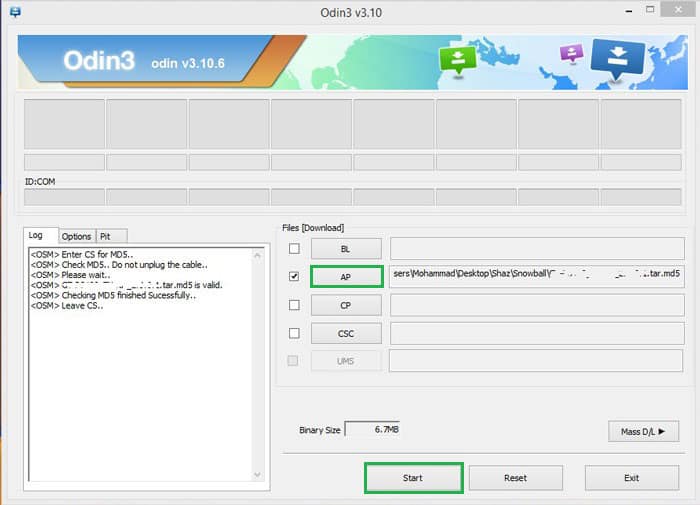
- Click on ‘AP’ in Odin 3.10.6 (if you have Odin 3.0.7 then you can select ‘PDA’).
- Choose “.tar.md5″ file to install Android 5.1.1 from the dialog box.
- Check Auto-reboot and F-reset time. (On Odin 3.0.7 don’t alter anything or you may end up with bricked device).
- Click on Start.
 .
. - Now wait until the process is done. After a few seconds, the phone will reboot.
Once Samsung Galaxy S6 SM-G920L is rebooted, you can enjoy Android 5.1.1. If you are facing difficulty during the installation do let us know in the comments below. Don’t forget to share your experiences.

Join The Discussion: