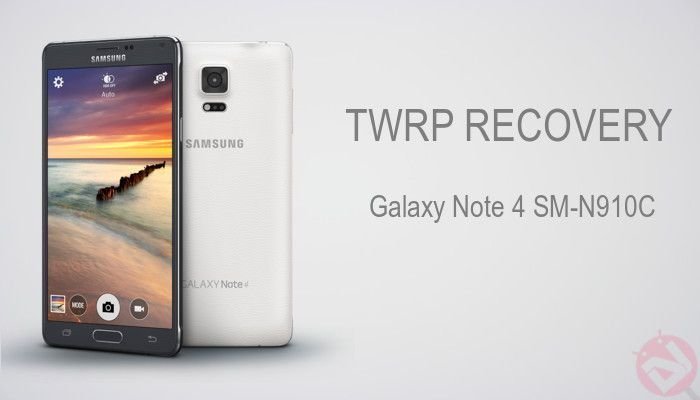
Samsung Galaxy Note 4 is one of the most popular smartphone of the year and attracted a lot of customers in the top-end category. The Galaxy Note 4 packs an armada of powerful specs which will put a regular PC or laptop to shame. Although most of the Note 4 variants are powered the well famed Snapdragon 805 chipset, some of the variants like SM-N910C are powered by Samsung’s home-bred Exynos 5433 chipset.
Being a popular device, developers tend to work their magic on the Galaxy Note 4 and as a result we’ve already seen how to root Exynos Note 4 in the early days of its release itself. Now it’s the time to install a custom recovery on your powerful Note 4 which opens the gates to advanced operations on your portable gadget. A custom recovery allows to flash custom ROMs, kernels and mods which will improve your device’s performance and brings a lot of new features.
The Exynos Note 4 SM-N910C received the latest TWRP 2.8.30 recovery which brings a lot of new features to the already awesome recovery. This update brings loads of fixes to the MTP, AArch64, True Type Font support and lot of other fixes to support Lollipop devices without issues. The recovery can be flashed using the Odin flash tool which is the popular flashing tool for the Samsung devices. So buckle up as we guide through the installation process of the TWRP recovery on the Exynos Galaxy Note 4.
WARNING
This Guide is intended only for the Exynos Galaxy Note 4 with the model number SM-N910C, not for any other device of Samsung. Be extra cautious when you choose the firmware as flashing wrong firmware might result in a bricked device.
Flashing a firmware will void your device warranty either temporarily or permanently. You alone are responsible for any consequences that might occur during the process. DroidViews or any of its community members shall not be held responsible for any damage to your device.
PREPARE YOUR DEVICE
- Charge your Note 4 above 60% battery level to avoid shutdowns during the process.
- Enable USB Debugging: Link
- Install Required USB Drivers: Link
- Backup your device storage, Contacts, SMS etc. using Google Sync service or any third-party app.
DOWNLOADS
The Galaxy Note 4 is now supported with the 2.8.3.0 version. Download the Odin flash-able recovery in the form of tar package from the download link given below.
Download TWRP Recovery → Click Here
INSTALL TWRP RECOVERY ON EXYNOS GALAXY NOTE 4
- Download the TWRP package from the downloads section.
- The download file provided is in the form of a tar package, which is the Odin flashable file.
- Now simply follow our dedicated Odin firmware flashing Guide to flash the recovery on your device→ Click Here



I cant exit from TWRP. when I choose reboot system, it bring me back to TWRP. pls help.
things i notice, that may or may not be related to the problem:
1. first time i wanted to reboot? it says i’m not rooted even though i am, and asked me if i wanted to install SU.
2. there’s a message in red saying “kernel is not seandroid enforcing” whenever i reboot
Download the latest version of Update-SupeSU zip, copy irnal SD card, boot into TWRP and install it .
May I know my SM-N910C is Exynos by default? Is SM-N910C variant coming with any other chip set like Snapdragon? If so, how can I understand my device is which chip set.
No the N910C only comes with the exynos chipset. Every model has either one or the other.
What happen if I just install it when my Note 4 is already rooted?
Does this wipe all my data and Apps and configurations?
No, it won’t wipe your phone.