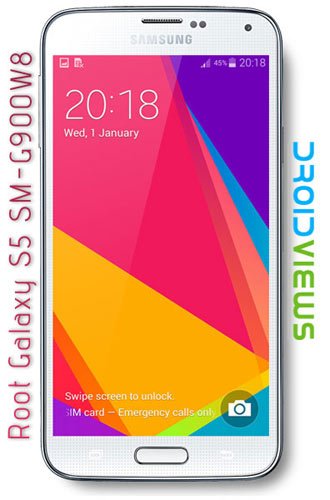
For the past few days, we have been trying to cover rooting tutorials for different variants of the Samsung Galaxy S5. The Galaxy S5 is the Korean OEM’s latest flagship which bring many new and advanced features. However, Samsung has failed to add novelty and premium feel in the design of the device and this factor might discourage old Samsung Galaxy users to spend a fat amount of money to get this new phone.
Anyway, if you are from Canada and have already bought this super-smartphone and have been planning to root your device, the present guide will help you do that. Today, we’ll see how we can root Canadian Galaxy S5 SM-G900W8. Chainfire has released his well-known CF-Root packages for 9 models of the S5 and the Canadian variants of the S5 from carriers like Bell, Rogers, Telus, etc.
If you are new to Android, you must know that by rooting your new Galaxy S5, you’ll void its warranty but, on the other hand, you’ll also be entitled to enjoy many advantages in turn too. Root access on and Android device might unleash its true potential by installing root apps and customizing it.
Before you proceed to root your Samsung Galaxy S5 SM-G900W8, please be informed that the procedure described below is considered risky and might soft-brick your device. If you still want to go ahead, do it at your own responsibility.
Preparations
Here are a few things that you need to take care of before actually rooting your Samsung Galaxy S5 SM-G900W8:
- Download Chainfire’s CF-Auto-Root for Galaxy S5 SM-G900W8: CF-Auto-Root-kltecan-kltevl-smg900w8.zip
- Install either Samsung Kies or Samsung USB drivers on your computer: Download
- Enable USB Debugging on your Galaxy S5: See here for Instructions
- Make sure your device has at least 60% battery juice left on it.
Root Canadian Galaxy S5 SM-G900W8
- Unzip the CF-Root package that you download from above and open the extracted folder.
- Launch Odin 3.07 as administrator.
- Now turn off your phone, hold the Volume Down, Home and Power buttons at the same time for a few seconds till the screen turns up and you see the warning screen. Then press the Volume Up key when prompted to enter the Download Mode.
- Connect your phone to PC using USB cable and wait till the ID:COM on Odin turns blue.
- Now click the PDA button and select CF-Auto-Root-kltecan-kltevl-smg900w8.tar.md5.
- Make sure that only F Reset Time and Auto Reboot options are selected on Odin.
- Then click Start button to initiate the installation.
- When the installation process finishes you will get PASS! message on Odin and your Galaxy S5 will reboot automatically.
Wait till your phone boots up. Then open the app drawer and look for the SuperUser app there. Open the app and update the binary if it prompts you to do so. To ensure that your Galaxy S5 SM-G900W8 has proper root access, install Root Browser app and run it.
[googleplay url=”https://play.google.com/store/apps/details?id=com.jrummyapps.rootchecker”]


If I have a noob question. If I root my device then perform a hard reset, do I have to root it again?
No, resetting the device won’t unroot it.
Can u help me
J tried to root my phone and it didn’t work
Hi, this is a very old guide. Try this: https://www.droidviews.com/root-att-and-verizon-galaxy-s5-without-voiding-knox-warranty/
THANK YOU
BUT I DOWNLOADED THE APP AND TRIed to root it didn’t work
It wouldn’t even reboot
Do u know y this is happening
What firmware version you Note 3 has?
I have a galaxy s5
Android version 4.4.2
And model number sm-g900w8
i have the same problem.. I want to change my imei , phone is on the blacklist
Does the phone have to be unlocked in order to root
Help please