Don’t like the default lockscreen of your phone? I do not like it too. That’s why I started looking for some alternatives and I came across a lot of apps which are definitely better than the boring default lockscreen. But instead of going for “the-already-famous” apps like Cover, Start, SlideLock, etc. I went with two apps which are popular but still not known by many – Next Lock Screen and PIN Genie Locker.
Next Lock Screen
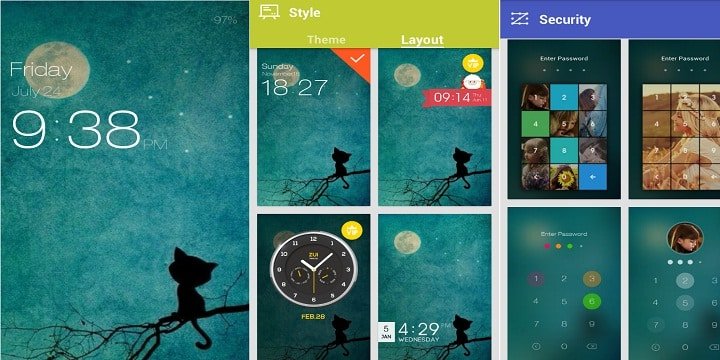
Next Lock Screen is a material style lockscreen app with the focus on beautification of your lockscreen.
Features:
- Beautiful: I usually don’t consider this as a “feature” but in this case, I had to. It is a beautiful app and will surely beautify your lockscreen with high-quality wallpapers which change every day. It gets another point for a unique feature called gravity animation. It simply animates your lockscreen with the help of parallax effect. Another thing which makes it beautiful is the “DIY-like” customization. Various kind of clocks, weather, and unlock methods are available. You can choose the one which you like the most.
- Security: This is one of the most important features that the majority of lock screens do not provide. Along with the “slide to unlock” it also allows you to set a pin or pattern.
- Notifications: Every aspect of this app is beautiful. The way it shows notifications is truly awesome (not unique). You can select the apps you want to see notifications for. Swipe the notification to the right to open the notification and swipe it to the left to dismiss the notification. If you’ve got a lot of notifications click on the “three-horizontal-line-like-icon” to dismiss all the notifications at once. It even automatically wakes up the screen when you receive any notification so that you can check whether it is an important notification or not without touching the device.
- Proximity Sensor: This feature will automatically lock the phone once you put it in your pocket and will not wake the phone when you receive any notification while your phone is in your pocket.
- Quick Launch: Here you can set up the apps you use the most so that you can access them anytime from the lockscreen. Double tap the lockscreen or touch the small square icon in the bottom right corner to open quick launch.
PIN Genie Locker-Screen Lock & Applock
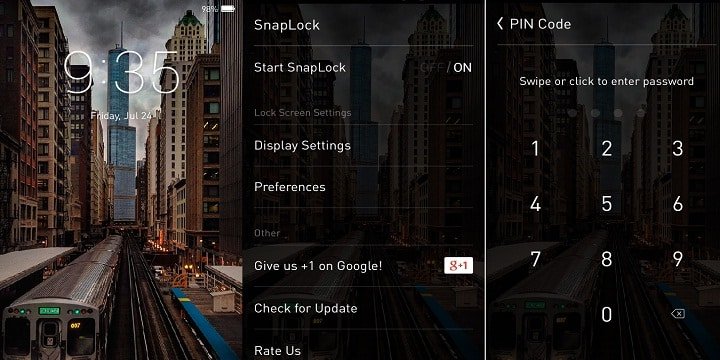
PIN Genie is very similar to ZUI Locker but instead of focusing on beautification, it focuses on making the lockscreen as minimal as possible along with increasing the utility. A recent update has also added the feature to blur the wallpaper. Both, SnapLock and ZUI Locker, share a similar set of features.
What makes PIN Genie different is the feature called AppRhythm. According to a Yahoo Aviate research report, Android users have 95 apps installed on average, of which they use 35 on a daily basis, and favor different apps at different times. SnapLock took this research and converted it into a feature – AppRhythm. The algorithm discovers which apps you use the most at different times of day, and automatically links them to the lock screen. You can simply swipe the shortcut on the lock screen and launch the app.
[googleplay url=”https://play.google.com/store/apps/details?id=com.pingenie.screenlocker”]Which One Is The Best?
My personal favorite is SnapLock. It’s packed full of features, doesn’t use much memory or power, and it’s pleasing to the eye.
Have you customized your Android with a lockscreen replacement app yet? If so, which one are you currently using? Will you switch to one of these instead? Share your thoughts in the comments below!



Try out Staytuned, it offers similar stuff as SnapLock but with way more features
Sure, I’ll check it out. Thanks. 🙂
Try CM LOCKER. it’s like ZUI and SnapLock combined into one better locksreen ;]
Hey, thanks for suggestion. I tried it and it’s very good but I am currently liking SnapLock a lot. I think I’ll stick to it for sometime. 🙂