Today the major share in the mobile operating system belongs to Android. From the beginning, Android earned love from users as it offers many features and is highly customizable. Due to these facets, Android is widely welcomed even as a Desktop OS. Though there is no lead on that, here on DroidViews, we have something amazing to show you.
For a long time, Bluestacks quenched the thirst of running Android apps on PC. It proved its might but to set it up was a strenuous process. People even complained about stability and memory hogging. Recently an app called ARC (App Runtime for Chrome) Welder showed up in chrome store, which allows us to run Android apps in your Chrome OS or Google Chrome browser. ARC Welder is still in beta stage and minor bugs are reported by the users.
In this guide, we will show you how you can run Android Apps on your PC/Mac through Google Chrome. The process is pretty easy and simple.
Prerequisites
- Download the latest version of Google Chrome.
Note: There’s no guarantee that all of the apps will be working and are fully functional, but for developers it’s useful for testing.
Guide to Run Android Apps in Google Chrome
- Install ARC Welder App from Chrome store.
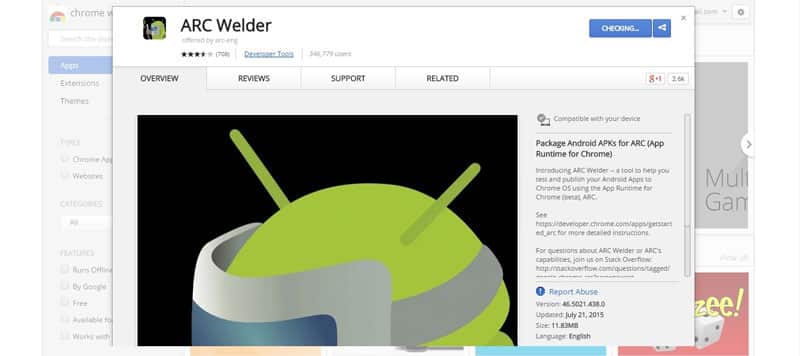
- Click “Add to Chrome” to install the ARC Welder.
- Pick up your Apk files. (Download them from APK downloader)

- Open Google Chrome and go to your Chrome Apps and launch ARC Welder app,
- Choose a directory for Apk files to be written.
- Now load your first Apk by clicking “Add your APK” button.
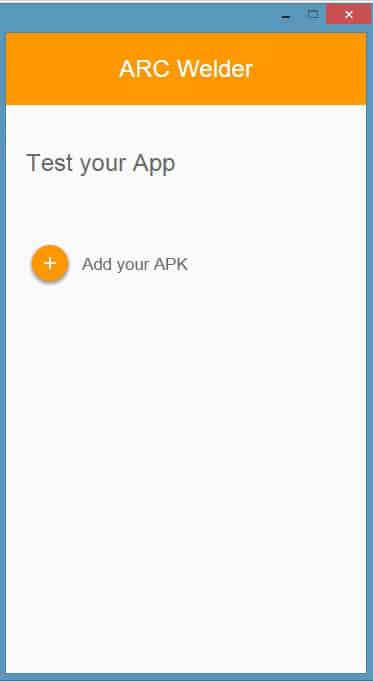
- After that navigate to the folder where you downloaded your respective Apk and select it.
- At this step, you will be offered some metadata configuration and options. Select your form factor and allow clipboard access. If you don’t want to mess up these settings then you can launch directly by clicking “Launch App”
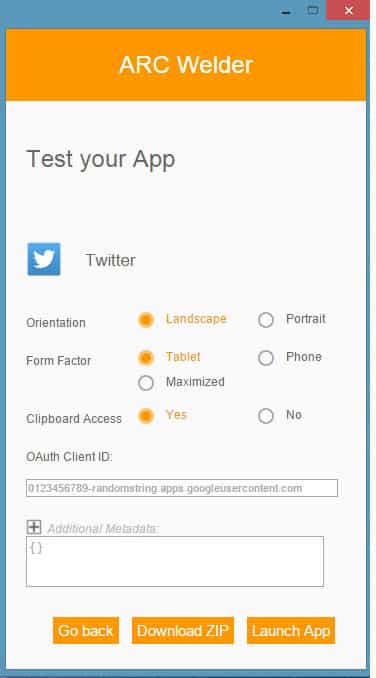
If the App crashes try selecting different form factors. As of now, Facebook, Google Play, Flappy birds apps are not working. However, Twitter and Instagram did well on ARC Welder.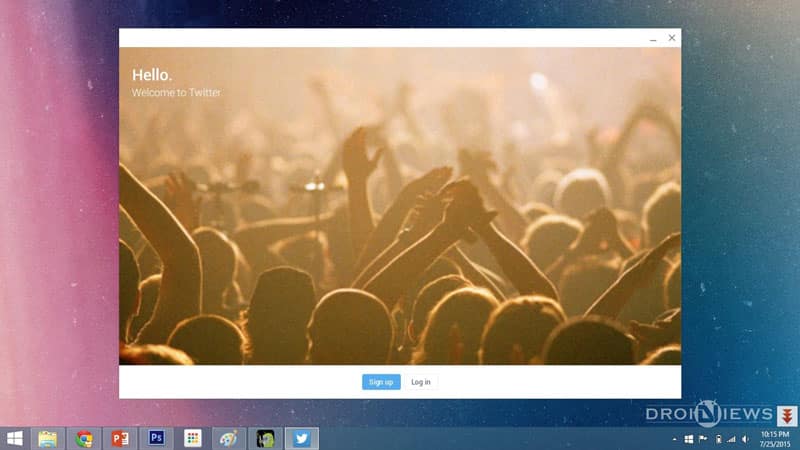
Once you successfully load an Apk you can launch them directly from Chrome Apps thereon. Note that you can test a single apk on ARC Welder and add another apk will remove the previous one. That’s all.
Yippee! Now you can run Android Apps on your PC. If you have any problems do post them in the comments below. Don’t forget to share your experiences with us.



Join The Discussion: