If you own a very expensive Android smartphone (or even if it is less expensive) then you sure don’t want to be in a condition like this title says. All mobile phones have an International Mobile Station Equipment Identity (IMEI) number which is inimitable. No other mobile phone in the world can have the IMEI number as same as of yours. The IMEI helps detect the current location and region of the particular phone. Here is how you can find out lost Android phone’s IMEI number.
IMEI is valid for GSM, UMTS, and LTE mobile networks and if in case your device gets lost or stolen, you can choose to block it with the help of IMEI number. If this happens to you, you can easily contact your service provider in order to protect your privacy. You can check your IMEI in four places:
- The purchase bill. It has the IMEI printed on it.
- The box of your mobile phone. It should have the IMEI printed.
- Under your mobile phone’s battery. There should be a sticker printed with your IMEI.
- And your device itself. *#06# will show the IMEI on any mobile phone.
If you ever get in a situation where you lose your Android device and you no longer have access to any of these things mentioned above, then I won’t say don’t worry. You should be worried but I can ease you a little bit. This little technique will show you how to recover your lost IMEI, and with the help of IMEI you could block your device and you could also get your smartphone back (if the cops actually took the case seriously).
Don’t Miss: Sign Out or Log Out of Android Devices Remotely
Find Out Lost Android Phone’s IMEI
First I want to clarify that we are talking only about Android phones here, not other smartphones. So how do you do it? Well, as a user of Android device, you must have known that it needs a Google account to sign in to Google services and without it, you cannot download anything from the Play Store. We will be using the Google Dashboard for getting back your IMEI. Google dashboard stores the data associated with your Google Account
- First, you need to go to the Google Dashboard.
- This is IMPORTANT! Sign in with the same Google account that you had put in your lost Android device.
- Click on the Android section and you will be presented with the list of all your Android mobile phones connected with the same account.
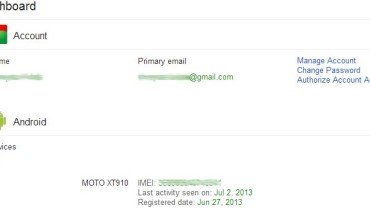
- From the list, you could easily see your device’s IMEI and some basic details about the last activity and the registered date. Refer the following screenshot of Google Dashboard.
This is how you get your IMEI number if you ever lose your Android mobile phone. Thank you for visiting Droidviews and keep checking back for more cool stuff.



Thank’s master ..
Goos luck 🙂