
Nexus 6 is conspired with many hidden features that were locked by Google for unknown reasons. The Motorola built Nexus 6 has the hardware that is capable of handling many features but Google suppressed a few, may be to accentuate their new features in Lollipop. Google killed the notification LED on the Nexus 6 so that the Nexus 6 users can adapt to the ambient display feature which serves the same purpose (more or less). If you wish to enable the old school notification LED on Nexus 6, follow our simple guide from below.
→ Enable Notification LED on Nexus 6
Another important feature that was disabled on the gigantic Nexus 6 is the Double tab to wake feature which allows the user to wake the device without reaching out to the power button. In fact, the double tap to wake is an essential feature on Nexus 6 considering it’s 6-inch mammoth screen and there’s no logical explanation for disabling this feature. Anyway, you can get it back simply if you’ve unlocked your bootloader and rooted your device. naxir of XDA had developed a simple app with the name Nexus 6 Double Tap to Wake which let’s you control the double tap feature.
The double tap to wake is not the latest innovation from Google as it has been featured on many flagship device so far. A long while back when I first came to know of this feature, I simply trashed it out as another software gimmick to publicize the flagship devices. However, I understood the importance of the feature only when I laid my hands on a phablet device on which reaching out for the power button needs a serious exercise from both my hands. Most people still doesn’t capture the essence of this simple feature but I hope all the Nexus 6 users are yearning for it, thanks to the mammoth display.
The Nexus 6 Double Tap to Wake is a simple and straight-to-point app which simply gives the option to either enable or disable the double tap feature. The app showcases a bit of material design language by using a paper-button to enable and disble the double tap feature. The app actually writes AUTO to /sys/bus/i2c/devices/1-004a/tsp which can be manually done using a root explorer or from command line but you need to do it on every boot as the value is erased on each boot. The app is pretty clean with only start at boot as the permission, so the app does the job on every boot making it handy.
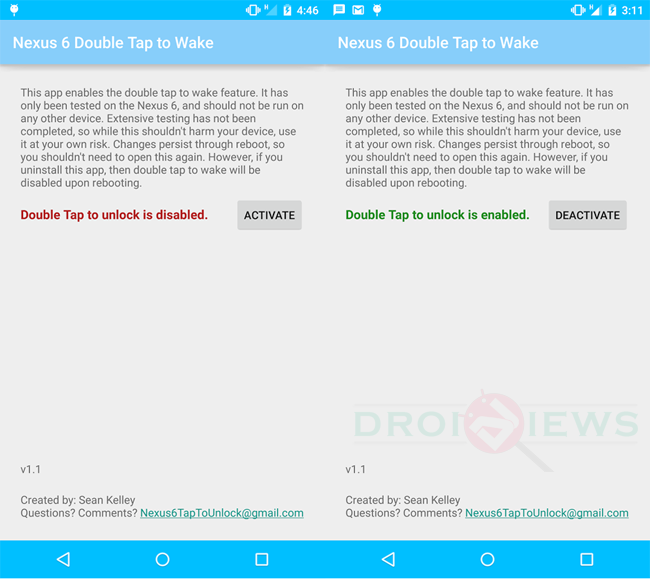
Priced at $1, the Nexus 6 Double Tap to Wake is pretty much the app any Nexus 6 user wants but if you want it for free, the developers himself provided the app for free at the XDA thread. We provide you the download link of the app but if you think the app is worth the dollar, kindly donate to the developer by purchasing it via Play store.
→ Download app from Playstore
[googleplay url=”https://play.google.com/store/apps/details?id=com.codechron.n6doubletapunlock”]



download for free option not available. Link is not working
The download link is up again. Try again and enjoy the app. The previous link was disabled by the developer.