Persist+ Volume Control is a great app for those who’d like to manage audio profiles a little further than what stock Android has to offer. It allows you to create different audio profiles for different scenarios. You can create more than 10 profiles that would be suitable for current environment or the one you are yet to come to, since automation is not something Persist+ couldn’t handle.
It allows you to fully control volume through all the phone from alarm, media, notifications and ringer volume, to system, voice in-call and bluetooth (headphone) volumes. Besides volume, you can also toggle vibration and change ringtones for every section that phone generally enables you to.
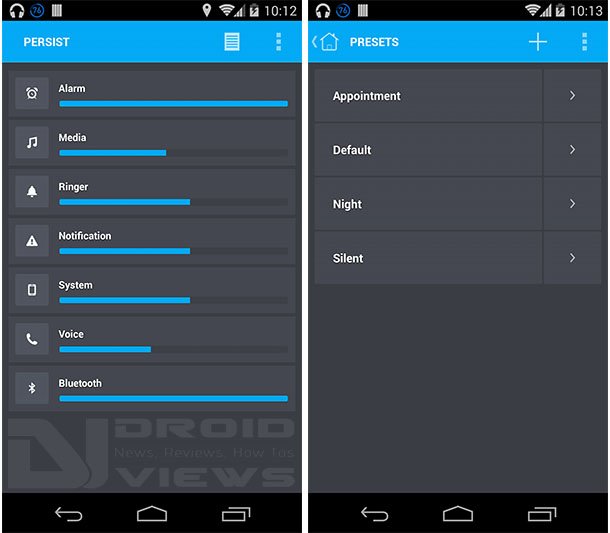
Persist “Home” and “Presets list” screens
The first screenshot is showing our main screen when we open the app. It shows you all volume levels that are currently applied. By pressing on that “document” type of icon in the upper right corner, you’ll access volume profiles – presets. You can apply each preset by tapping it, or edit it by pressing an arrow >.
Customizing profiles is easy. When you create a new profile by pressing plus “+” sign in the upper right corner, you will be given an empty profile. First you have to name it and then you can start adding settings one by one, or all altogether.
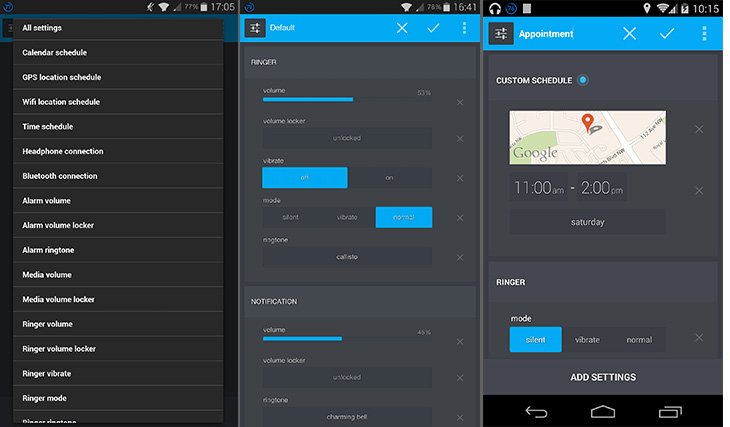
As you can see there are many options to help you automate switching between profiles, like location based conditions using GPS, time and date condition, calendar event or even WiFi specific connection. So when you get to your work, connect to specific WiFi or a calendar event starts, like meeting for example, your sound profile will change automatically. This is great for people who are forgetful like me and miss notifications after meeting is over and your profile stays on silent mode.
After changing profile manually with a tap, you will also be greated with a toast message for restoring to previous profile after certain amount of time that you set. So if you have it on “default” and you switch to “silent”, you will be asked if you’d like it to automatically revert back to “default” after determined time period. With calendar appointment conditions, you can choose profiles to be activated only for events that are marked with “busy” status or events containing “#appointment” in the title and/or description.
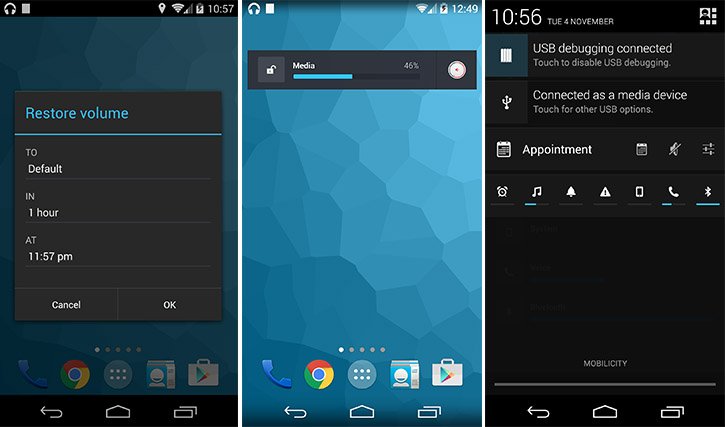
The point is, this is a very powerful audio profile managing app with many options there for you to set. It is up to you to discover all additional options it has to offer alongside a wide variety of widgets.
You can use a trial version for 24 hours with access to all features with limited access after that (scheduling and widgets are excluded). I think this app is worth every penny, but this is only my objective opinion. Give it a try!
Free version
[googleplay url=”https://play.google.com/store/apps/details?id=netroken.android.persistfree”]Full version
[googleplay url=”https://play.google.com/store/apps/details?id=netroken.android.persistalternate”]


Join The Discussion: