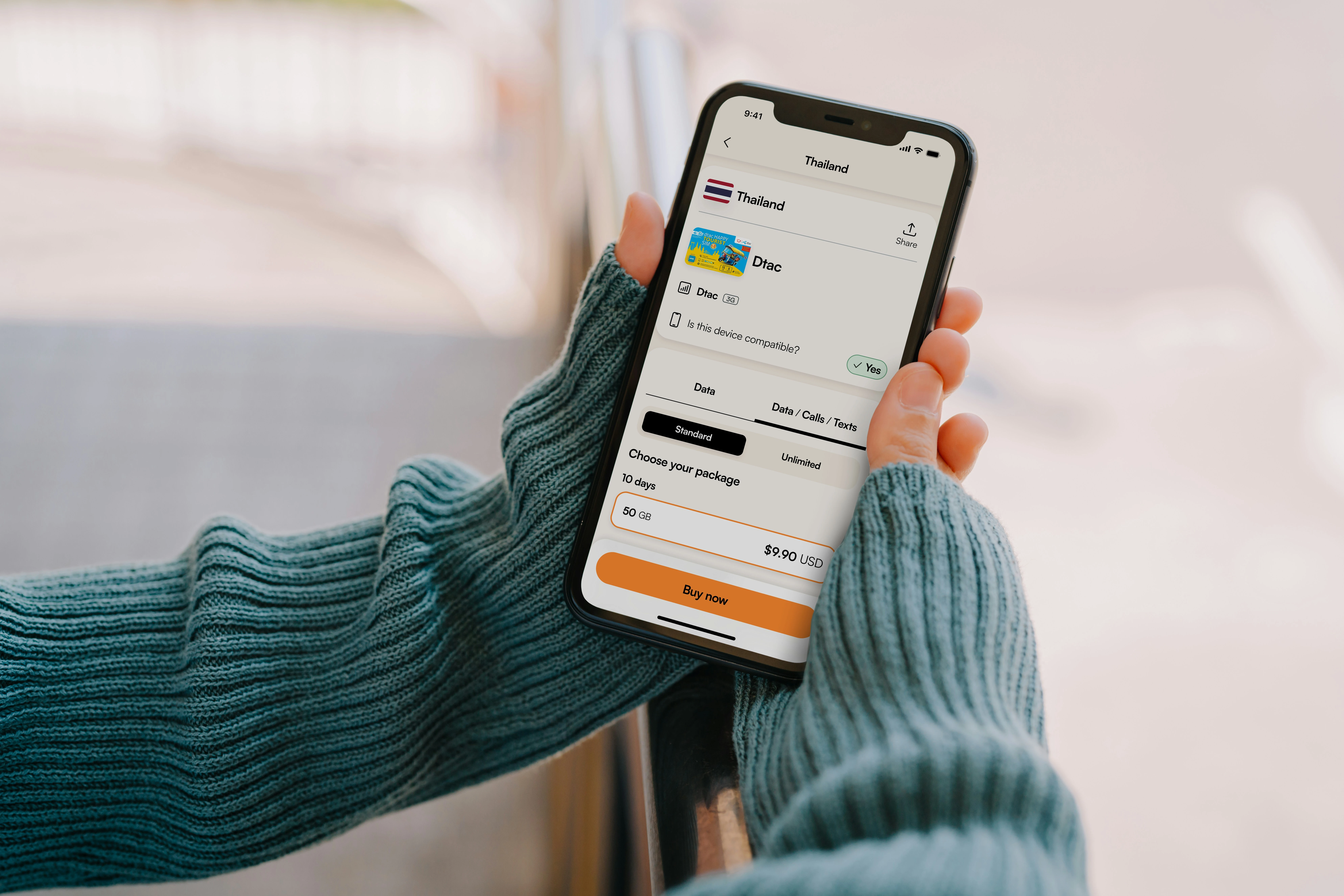
For almost a decade, Android devices of varying functionality have supported the use of eSIM. Surprisingly, many Android users do not have an active eSIM. The ease of set-up for eSIM, cost savings compared to international roaming, and ability to operate two active lines from one physical phone is extremely helpful for both business and leisure travelers. This article provides information on what Android users in the USA need to know about eSIM in 2025.
What Is an eSIM and Why Does It Matter for Android Users
A digital SIM card known as an eSIM can be found saved onto the hardware of your phone instead of a physical card that you would insert and take out of the actual phone. With an eSIM, the profile (activation) is downloaded wirelessly to your phone after you scan a QR code or enter an activation code to get started. Once the profile has been downloaded successfully, the eSIM will work just like a physical SIM card by enabling you to place a call on the carrier network as well as have a phone number assigned to your device and also for you to manage your data plan.
For example, if you have a US phone number that you use with your physical SIM card, and also want to have a data plan while travelling internationally, using your eSIM will give you the ability to run both SIMs along with their associated line (both physical and eSIM) at the same time on your Android phone. Using dual SIMs eliminates the need to carry 2 phones or switch out SIMs, which can be frustrating for frequent international travellers. Holafly’s eSIM with unlimited data is one of the more popular options among Android users heading abroad, covering over 200 destinations and activating in minutes before departure.
Which Android Devices Support eSIM
The Android ecosystem has widely adopted eSIM technology. The following is a list of Android devices confirmed as eSIM-compatible as of 2025:
Google Pixels have supported eSIM since the Pixel 3, and all devices in the Pixel 7, 8, and 9 series support dual eSIM, allowing the use of two eSIM profiles simultaneously without a physical SIM. Samsung S-series, Z-series, and other flagship models (including the Galaxy S20 and all subsequent versions) support eSIM, while the Galaxy S23 and S24 offer dual eSIM support on select devices. Motorola Razr and Edge series devices from recent generations include eSIM capability. OnePlus 11 and newer models support eSIM in the US.
One important point: eSIM functionality in the US may depend on the mobile carrier to which a device is locked. Devices purchased directly from Google, Samsung, or other manufacturers are typically unlocked and will support eSIM with most mobile providers. Devices purchased through a US carrier may have limitations related to eSIM until they are unlocked. To confirm whether your device is unlocked, you should contact your carrier.
How to Set Up an eSIM on an Android Device
The eSIM setup process may vary slightly by manufacturer; however, the overall process is similar across Android devices.
To set up an eSIM on a Google Pixel, go to Settings, then navigate to Network & Internet, then SIMs, and select the “+” icon to add a new SIM. Select Download a SIM Instead, then scan a QR code or manually enter an activation code.
To set up an eSIM on a Samsung Galaxy device, go to Settings, then Connections, and then SIM Manager. Select Add eSIM, scan the QR code provided by your carrier, and follow the prompts to complete the setup process.
For other Android devices, check the Network, Connections, or Mobile Networks section within your settings menu. While the pathways vary by manufacturer and Android version, the QR code scanning process is generally similar across compatible devices.
Once you have activated your device with two SIM cards (eSIM and physical SIM), you can manage both through the SIM Manager or equivalent settings. You will be able to assign different functions to each SIM (e.g., one for calls/texts and one for data). You may also designate a preferred SIM for specific contacts or use both without losing service.
eSIM vs Physical SIM on Android: When to Use Each
For most Android users currently residing within Domestic US, switching from a physical SIM card to an eSIM doesn’t seem very advantageous. In general, the main reasons to utilize an eSIM rather than a physical SIM card will be while traveling outside the US and having 2 cellular lines on the same device.
The calculations of international roaming charges are pretty easy to determine as it’s commonly understood that US providers generally charge anywhere from $10-$25 a day for US customer base to roam to almost all international destinations. For example, for 14 days of travel at $15/day generates $210 that’s added to your bill before any calls are made or text messages sent. However, if you were to book a prepaid eSIM data plan for the very same amount of time (14 days), it will only cost you $20-$40 dollars for unlimited data. Therefore there are significant savings and also your eSIM experience has the ability to provide you with more seamless connectivity to the local network instead of your US providers ‘roaming network.’
In terms of having 2 phone numbers on 1 device, Google’s support of an eSIM for Android makes this possible. Allowing you to create 2 separate lines for work and personal use from 1 device, or to have a separate phone number in a different location where you frequent travels, is highly utilized by all working professionals who are often on the go.
Troubleshooting Common eSIM Issues on Android
The most common issue with eSIMs is that they download but do not connect to the network. When this happens on an Android device, it can usually be resolved by toggling airplane mode on and off, which forces the device to search for available networks. If the issue persists, go into the SIM Manager and select manual network selection instead of automatic.
There are typically two reasons why a QR code will not scan: glare on the screen or being too far away. Most carriers offer a manual activation code as an alternative, which consists of an SM-DP+ address and an activation code that can be entered manually on the same setup screen.
If you receive an error related to carrier locks, your device may still be locked to your US carrier. This is most common with Samsung devices purchased from Verizon, AT&T, or T-Mobile. You can request an unlock through your carrier’s website or customer service. In most cases, the unlock is completed within 24 hours of the request, provided the device is eligible.
Managing Multiple eSIM Profiles on Android
In terms of eSIM functionality, an edge Android has over Apple devices is that both the Google Pixel and Samsung devices have more flexible and convenient profile management capabilities. For example, Google Pixel 7 and newer devices allow multiple eSIM profiles to be stored at the same time, making it easier to switch between country-specific plans while traveling rather than deleting and re-downloading eSIM profiles each time.
Samsung does similar by allowing users to manage profiles in SIM Manager (to activate/deactivate and label profiles) allowing for easy switching between multiple destinations by clearly labeling profiles with destination names and dates of travel.
Best eSIM for Android FAQs
eSIMs and Android – Everything You Need to Know about eSIMs on Android
eSIM Capability on Android Devices – Can I use two eSIMs at once? Yes, provided your phone supports eSIM.The best Android devices to use two eSIMs simultaneously are as follows: Google Pixel 7 and later models support a dual sim eSIM with no physical sim. Many models of Samsung Galaxy S23 and S24 support dual eSIM functionality.To verify whether or not your Android device supports eSIMs, you can look up your Android model specifications.
eSIM or Physical SIM Activation – If I activate my eSIM, will I lose my physical SIM? No, your physical SIM is still active and works with your eSIM as an additional line.You can manage both eSIM and physical SIM from the SIM settings on your device with no issues.
Transferring eSIM Profiles – Can I transfer my eSIM profile to my new Android phone? Many mobile carriers allow the transfer of eSIM profiles to other devices; however, there are some restrictions regarding this process based on the carrier’s policy.Typically you will have to contact your mobile carrier to initiate the transfer of your eSIM profile. Some carriers do not allow the transfer of single use; therefore, before purchasing an eSIM profile, be sure to review the policy with your carrier.
eSIM vs. Physical SIM – which drains more battery? There has been no measurable difference noted regarding whether or not an eSIM or physical SIM drains more battery. Power consumption will be similar while using eSIM or physical SIM on your mobile device during normal usage.
eSIM Capability on Budget Devices – Are there any budget Android devices that include eSIMs? Generally the number of mid range Android phones supporting eSIMs is becoming larger; however the quantity is still significantly smaller than the flagships.
Prior to making a purchase, check your budget Android device specifications on the manufacturers supporting eSIM.
Join The Discussion: