
Well, I don’t know how many of you noticed it but the Play Store received a massive feature update. If you open Play Store daily then I’m sure you must have already checked it out. For those who still don’t know or want to know the purpose behind it. For them, don’t worry we have got you covered.
This new little addition to the Play Store has led to a significant impact on the way we used to provide ratings. Probably, this was the feature that was lacking in the Google Play Store till now. How will Google Play Store featured ratings will change the course of Android gaming? Let us find out.
What’s the New Feature?
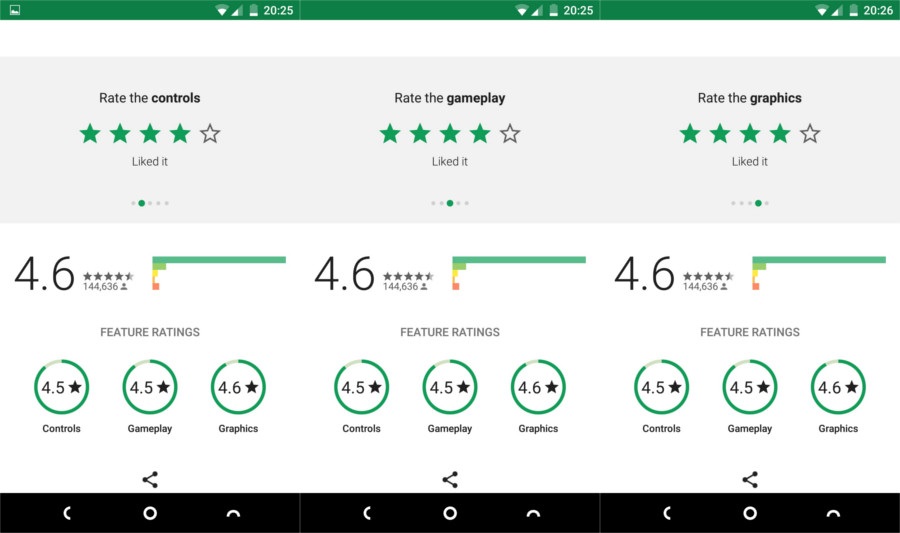
The new feature doesn’t have a name yet. So, let’s call it featured ratings. As the name suggests this feature allows the user to rate an app on overall experience along with options to provide ratings for Controls, Gameplay, and Graphics. In brief, there are now five options available when rating an app on the Play Store which includes Overall Rating, Controls, Gameplay, Graphics and a section to write a Review. Some may say that this is not that a prominent feature. Well, let me enlighten you what impact this will have on the upcoming games and apps on the Play Store.
How will Google Play Store Featured Ratings Affect the Upcoming Games?
Previously, when games and apps were rated on the Play Store, they were rated on the overall experience. People rated them on the basis of overall experience and those who really wanted to help the developers improve their app, those few people, wrote a review.
For Instance- If somebody rated an app low and didn’t write a review as to why he/she rated it low then, the developers had a tough time figuring out what was wrong with the app or game. Even though if the person wrote a review stating that the controls or gameplay needed to be improved then also it wouldn’t have helped that much. It is simply not possible for the developers to scroll through and read all the reviews. This made the situation chaotic and bothersome.
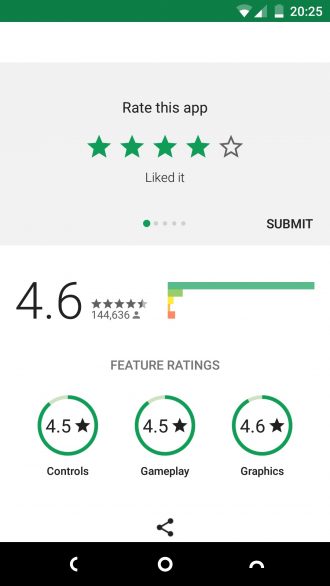
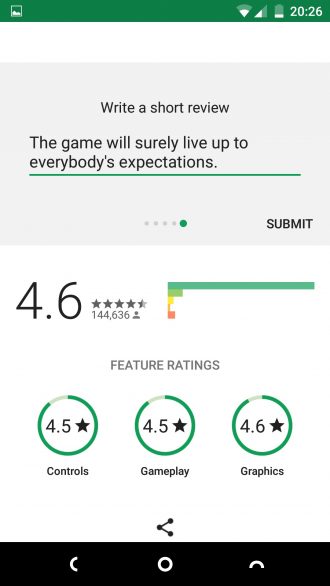
Now, since there are options of rating an app or game on the overall experience as wells as on the basis of Controls, Gameplay, and Graphics. It has made the whole process a lot easier. If the developers found a low rating on their Controls section then they know that they need to focus more on how their controls work in the next update rather than on graphics or gameplay. This will save the time of the developers and will also help them make better apps and games.
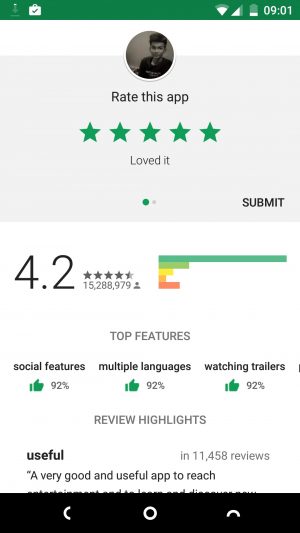
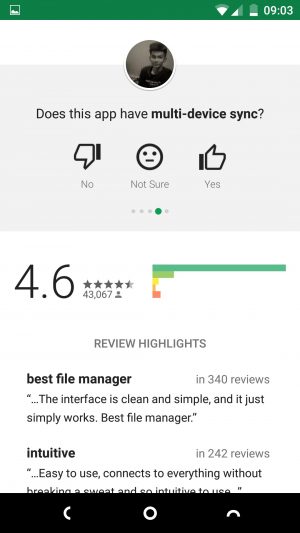
However, the case for the apps is different. There the rating system has changed too but in a different way. Besides asking to rate on overall experience, the app now also asks a few questions related to itself. This will help the developers know whether the features they put in their app are recognized by the masses or not. If yes, then how can they improve it. This feature will surely help in the long run.
Conclusion
Just a quick paragraph to sum up the whole post. The new feature added to the Google Play Store is of rating games on the basis of Controls, Graphics, and Gameplay. The previous rating functions are also intact. This feature will provide better communication between the Users and the Developers to make even better games and apps.
Finally, I’m eager to see how we as Users use this feature and how the Developers respond. What do you think of this new feature? Will it be helpful? Let us have a conversation in the comments section below.
Editor’s Pick: Fix Google Play Store Errors on Android Devices



As an app developer this just showed up on my listing recently. I do think the more detailed ratings will be useful for users but they don’t provide enough information to make an informed decision. I found I currently have a 1 star rating for controls which was a legitimate complaint before my December release. However, I still get ratings based on older versions, some good some bad. There is nothing to indicate if that 1 star is for the current version or an older version and I’m afraid users may see that and not be bothered to read the reviews to see if it is really a concern. I hope as I get more ratings for the current version that will one star will improve but I think in the near term it will only hurt adoption of my app.
I myself am a developer and the author of this article. When I came across this feature I had really high expectations. I won’t say it didn’t help but I will say that this is definitely better than the old reviewing system Play Store offered.
I agree. It does give the user more information to go on. My 1 star has come way up since I posted previously so that makes me feel better about it. I’d still prefer users to read the reviews than make a quick decision glancing at a couple icons.