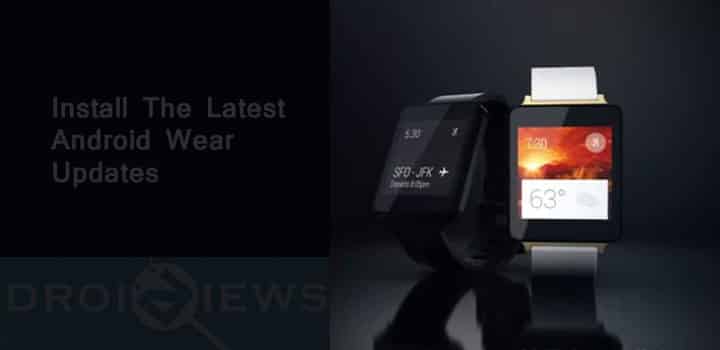
If you own an Android Wear then you must get excited because the latest update for your smartwatch is here and ready to get installed on your Android Watch. Google has recently announced the update 1.3 (LCA43) to its Android Wear with captivating features like interactive faces and a support for Google Translate to Android Wears with up to 44 new languages and more to come.
The interactive watch faces simplify gaining information about an app or service just by tapping its face. Just tap the face and you can get weather reports, unread emails, etc. With Google Translate you can have bilingual conversations with your all your contacts without even having to know their language.
Google has not rolled out the updates officially but links to these updates are available online in the form of OTA zip files for some Android Wears. If you wish to install the OTA updates and know the how-tos about flashing and pushing files through adb sideload then these updates might just work for you. However, this may not be as easy as it sounds even to the adepts.
You can only sideload an OTA update manually by connecting your watch to a computer via USB cable. However, due to Android Wear’s stock recovery not being responsive and difficult to ADB sideload, you may face difficulties in installing the updates.
If you still are willing to get the updates installed manually, then you may proceed or you may just wait for the OTA updates to roll out for your device. The OTA updates for Motorola Moto 360, Samsung Gear Live and Asus Zenwatch are not yet available.
Instructions to Flash the OTA Updates
- You’ll need to have ADB installed and have the Google USB drivers from the Android SDK.
- Reboot your watch into recovery mode, then select “Install Update From ADB.”
- You can then run “adb sideload filename.zip” from a command prompt.
Downloads
Each link is directed to Google’s OTA server, so all the file you’re downloading is 100% authentic.
LG G Watch
Download | platina LCA43 from LDZ22D
LG G Watch R
Download | lenok LCA44B from LDZ22D
LG Watch Urbane
Download | bass LCA44B from LDZ22D
Sony SmartWatch 3
Download | tetra LCA43 from LDZ22D
Join The Discussion: