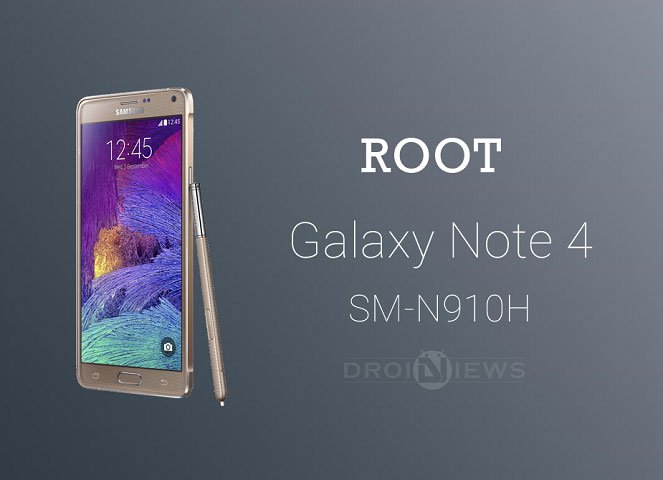
The Galaxy Note 4 is the new addition to the popular Galaxy Note line-up from Samsung. Launched with great expectations, the Note 4 really proved its mettle with the premium hardware and the stunning looks. The Galaxy Note 4 is powered by the Qualcomm Snapdragon 805, however, few variants of the Note 4 are running on the Samsung’s own Exynos chipset. Seems like Samsung is not ready to give up on its Exynos branded chipsets yet. The Galaxy Note 4 SM-N910H which is the Asia-Pacific Note 4 is one of the Note 4 variants running on Exynos Chipsets.
Qualcomm Snapdragon chipsets are well established and the root exploits for these chipsets are easily available, but the Exynos chipsets are hard to root because of the less support from developers. Thanks to Chainfire, the developer behind the SuperSU app, for blessing the Asia-Pacific Note 4 with the CF-Auto-Root firmware. So now the Note 4 SM-N910H users can root their devices and break the prison walls built by Samsung.
The CF-Auto-Root firmware flashes the stock recovery and cache along the SuperSU binaries and SuperSU app, so that users can keep their devices as close to stock as possible. The firmware can be flashed using the popular Odin flashing tool that is specifically developed for the Samsung. If you’re familiar with Odin, the process is buttery smooth. However if you’re not, carefully follow the firmware flashing guide.
WARNING
This Guide is intended only for the Asia Pacific Galaxy Note 4 with the model No SM-N910H, not for any other device of Samsung. Be extra cautious when you choose the root firmwares as flashing wrong firmwares might result in a bricked device.
Rooting and flashing firmwares will void your device warranty either temporarily or permanently. You alone are responsible for any consequences that might occur during the process. DroidViews or any of its community members shall not be held responsible for any damage to your device.
PREPARE YOUR DEVICE
- Charge your Galaxy Note 4 above 60% battery level to avoid shutdowns during the process.
- Enable USB Debugging: Link
- Install Required USB Drivers: Link
- Backup your device storage, Contacts, SMS etc. using Google Sync service or any third-party app.
DOWNLOADS
Download CF-Auto-Root Package → Click Here
ROOT SAMSUNG GALAXY NOTE 4 SM-N910H
- Download the CF Auto Root package for your Galaxy Note 4 and extract it to your PC. You’ll get an Odin flashable file in the .tar.md5 format.
- Flash the .tar.md5 using Odin. You can follow our exclusive guide on flashing firmware and CF-Auto-Root using Odin → Click Here
That’s it! Your beautiful Galaxy Note 4 is successfully rooted and you’re ready to use advanced applications on your device.


does this work on lollipop?
It should.
ty doing it 🙂