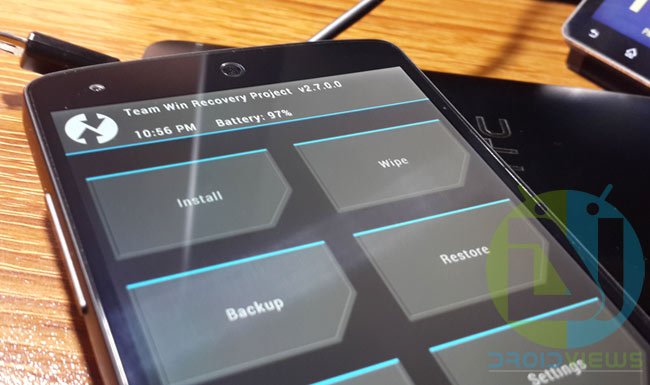
A custom recovery is an essential for any Android custom user, who wishes to deliver their devices with custom stuff like ROMs, Kernels, Tweaks etc. TeamWin Recovery Project or TWRP is one such popular and one-of-a-kind recovery which helps you attain not only these basic functionalities but also a lot more than this.
And for those who have bee knowing it since a while must have noticed that it was not updated since long and now, just yesterday, it took a leap forward to version 2.7, carrying with it, a bunch of new features and enhancements that we’ve been waiting for.
What’s new?
- KitKat 4.4 decryption support
- Bug fixes for USB Mass Storage
- SuperSU v1.93 integrated and its installation improved
- Caps lock support in keyboard
- SELinux support checking and various fixes regarding it
- Toolbox utilities added
- Faster graphics rendering
- Sideloading now possible in encrypted devices via /tmp
- Enabled text wrap in console output
- USB OTG to offer mouse support from devices with broken digitizer
- Scanning improvisations for OpenRecoveryScript
- Fixed ext4 wiping, when no SELinux contexts are defined
- Disk usage class for better handling of excluded folders
- Load RTC offset on Qualcomm devices, which fixes the date and time in recovery mode
- Haptic feedback enabled for buttons and keyboard
A bit of sad new for the older/low-end device users is that this version of TWRP won’t be available for their devices, a full justified explanation for the same has been given below.

DISCLAIMER: Flashing a custom recovery is potentially harmful process if carried out inappropriately. DroidViews or any of its community member shall not be held responsible for any damage to your device. But, we’re always here to help you out off every situation.
You can find the complete list of devices here, select your device and download the appropriate .img, .tar or .zip file. Instructions are device specific, hence are available on every device page. Kindly read them carefully before performing any action. You can also use TWRP Manager app (download below) to flash it on-device while operating on the OS. Note that the App is not officially provided by the TeamWin, but is confirmed to work for officially supported devices (credits: Jmz Software).
[googleplay url=”https://play.google.com/store/apps/details?id=com.jmz.soft.twrpmanager”/]Let us know your feedback via comments, its highly appreciated. If you’re stuck anywhere, kindly bother to tell us and we shall put forth the best effort to resolve.
Stay tuned! Stay viewed! With DroidViews

didn’t work on my Note 3 (Sprint) running android 4.3 had to go into download mode and restart the phone that way as a battery pull and replace did not work. It frozze my phone at first recovery boot img.