RBI has come up with a new Android app called MANI. It stands for Mobile Aided Note Identifier. Now, this application is a bit different and special. People who are visually impaired or have hearing problems can use this app to identify the denomination of Indian banknotes. Interesting isn’t it.? Technology should be beneficial to everyone.
In this guide, we will explain to you how to download the new RBI app MANI. We will also explain how this application works.
This app will identify the new banknotes which the government introduced back in 2016 after the nationwide demonetization. You cannot detect coins on the MANI app. It has a very interactive user interface. It has audio instructions. So, the RBI has thoughtfully designed the app. It is very user-friendly for people with visual and hearing impairment.
Every day in India, a number of businesses do the transaction of millions of rupees. In fact, people with visual and hearing challenges also do a lot of business. So, to help them out correctly identifying the banknotes MANI will come in handy. This application from RBI can detect the Rs.10, Rs.20, Rs.50, Rs.100, Rs.200 Rs.500 and Rs.2000 denomination.
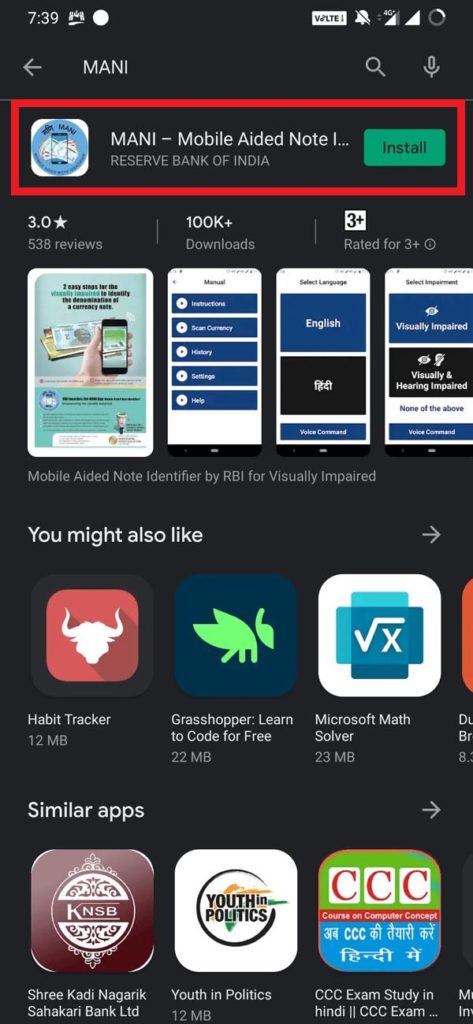
Download RBI app MANI
First things first. Here is the download link for the MANI app.
MANI-Mobile Aided note Identifier | Download
Make sure that you download the official application from the Google Playstore only. Never download APKs from sources that are not trustable. Usually, from these sites, your device stands the chance to be affected by the malware.
Also keep in mind that, in case you already have the app installed on your phone, then make sure you’re running the latest version. This means to check on the play store if a new version/patch for the app is available. Then install it.
How does the MANI app works?
Now, comes the most important part. How does the application works.? I tried to dig into the application. The interface has a very large font. So, even if a person is a partial vision disability, they will have no issues in using the app.
Similarly, MANI can work seamlessly using voice over commands. Currently, the application supports English and Hindi language. As both Hindi and English are widely used in India. Though RBI should have introduced other languages of India. That way, this app can be widely used in all the states of India.
These days almost everyone is using an Android smartphone irrespective of whether they belong from rural areas or cities. So, having multiple options for various languages can widespread the awareness of the MANI app. Maybe in the future, RBI will add support for more languages in the application.
Anyways, let start with the installation of the application.
How to use RBI app MANI
- Make sure you have the MANI app installed on your smartphone.
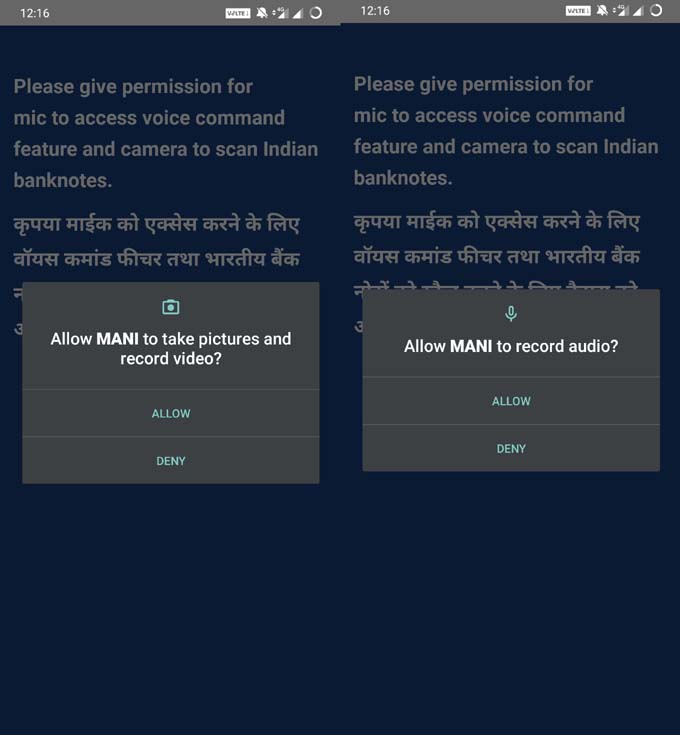
- As you open the app, the app will ask your permission to take pictures and record audio.
- Then you can select between English and Hindi language.
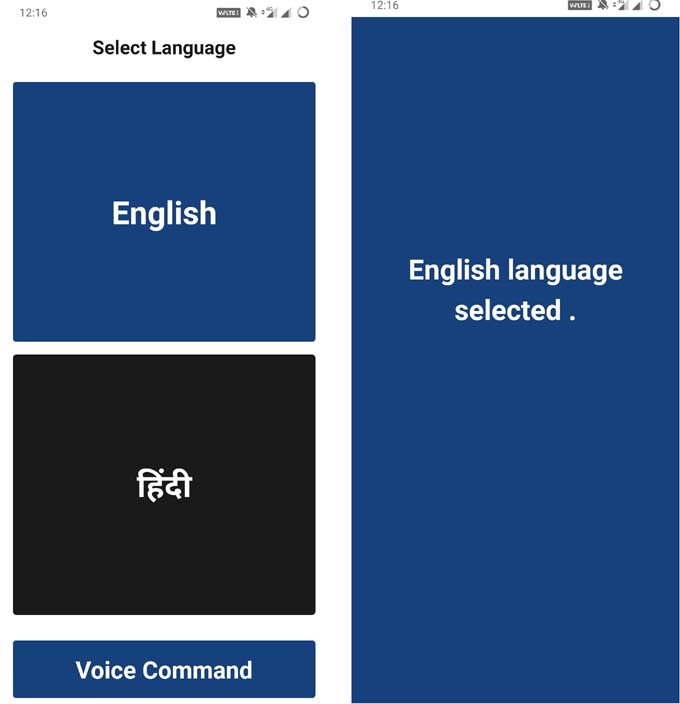
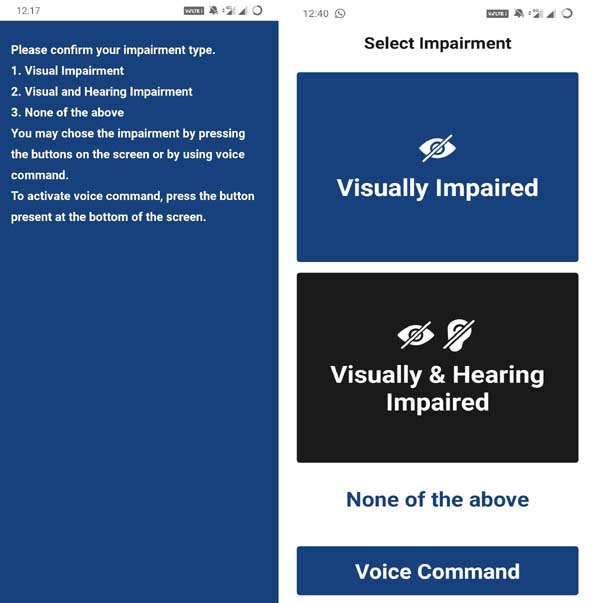
- Now, you have to specify your type of impairment
- In the next screen, an instruction page will notify you that the phone will vibrate for a certain number of times upon the detection of a certain Indian currency.
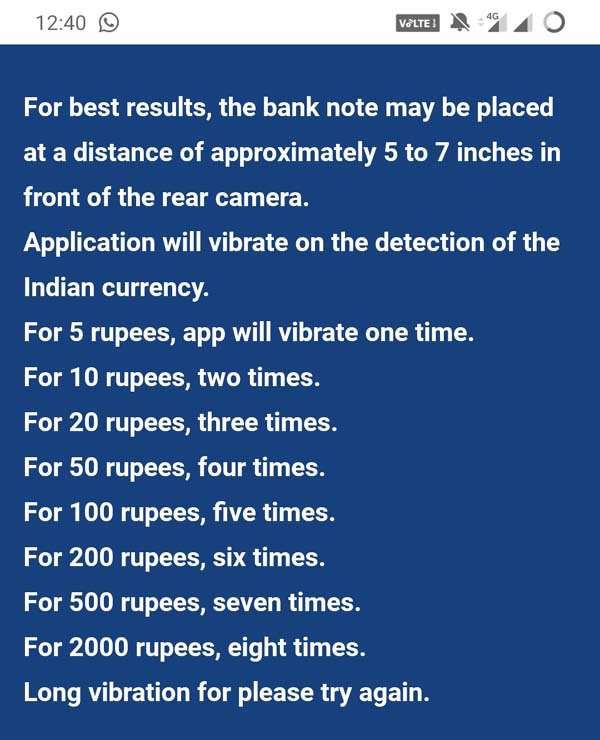
- You have to place the banknote 5 to 7-inches away from the rear camera.
- I tried an INR 500 note and an INR 20 note. MANI perfectly detected the denomination.
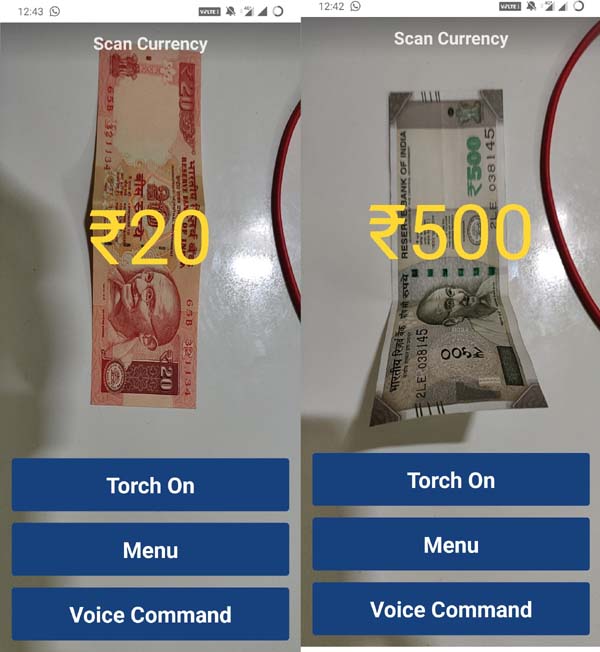
Upon detection, the voice assistant in the app will announce the denomination of the note. So, it will help out the visually impaired to know what note they have scanned.
Again, the vibration will help out the people with a hearing impairment to sense what note denomination is under the scanner.
Note: MANI app may not distinguish between a genuine and fake currency. The developers have disclaimed that MANI does not check for the genuineness of Indian Banknotes. It will only detect the denomination of the currency.
So this was a detailed guide on the new Android app MANI from RBI for the people with visual and hearing impairment to detect the denomination of the Indian banknotes.
Related: How to Increase Internet Speed on Android using Cloudflare DNS



Join The Discussion: