Google’s Pixel line has never been on par with other flagships in terms of hardware. What they lack in hardware though they’ve been trying to make up for in hardware. While the business model is up for question, the best features on Pixel devices are software related as a result. This means they can theoretically work on any Android device. One such feature is ‘flip to shhh’ which can be brought to any Android device now with the Flip DND app. If you use Tasker, you can also enable the flip-to-shhh feature using that app.
If you can’t tell by the name, flip to shhh is a feature that turns on Do not disturb mode when the device is put face down on a surface. It’s a really handy feature in case you’re in a meeting, for example, and you don’t want your phone making noises. It’s still not quite as convenient as the alert slider on OnePlus devices because it doesn’t work inside your pocket. It is better than having nothing though. There are some more hacks for Android that don’t require root privilege. You may want to try them too.
Install Flip DND
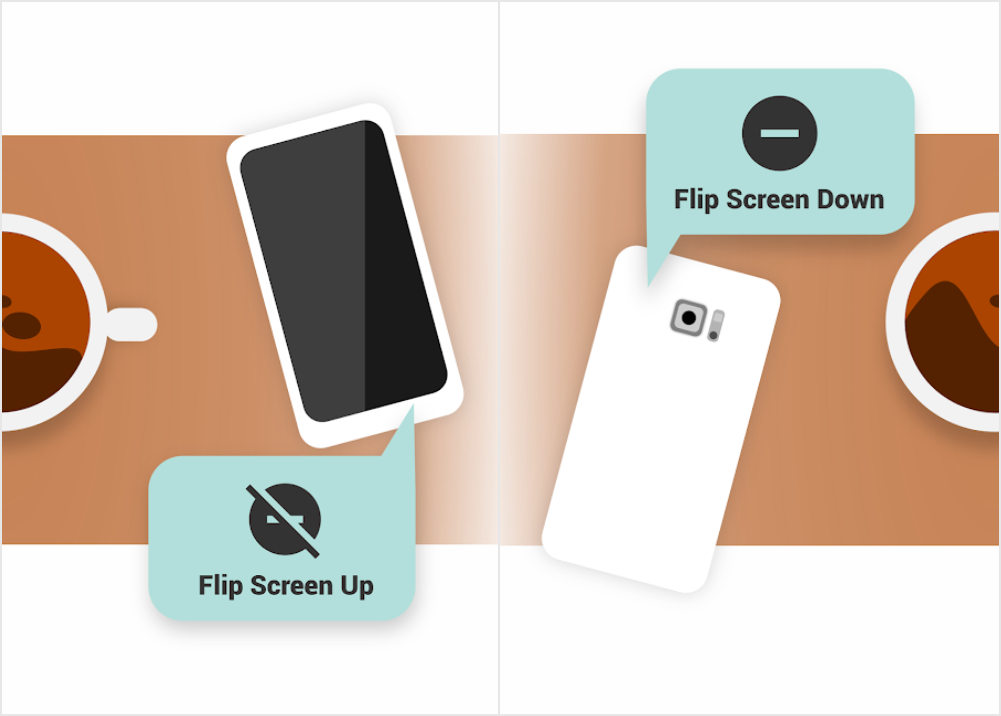
Flip DND is an app from the same developers that have brought us some of the other popular and useful Android apps such as Sleep as Android and Twilight. It’s one of the best apps if you want the Pixel’s ‘flip to shhh’ feature. Once activated, you can flip your phone face down on a surface and if it stays that way for 10 seconds, the app activates the Do not disturb mode. The app is available for free on the Google Play Store.
Enable Do Not Disturb Permission for Flip DND
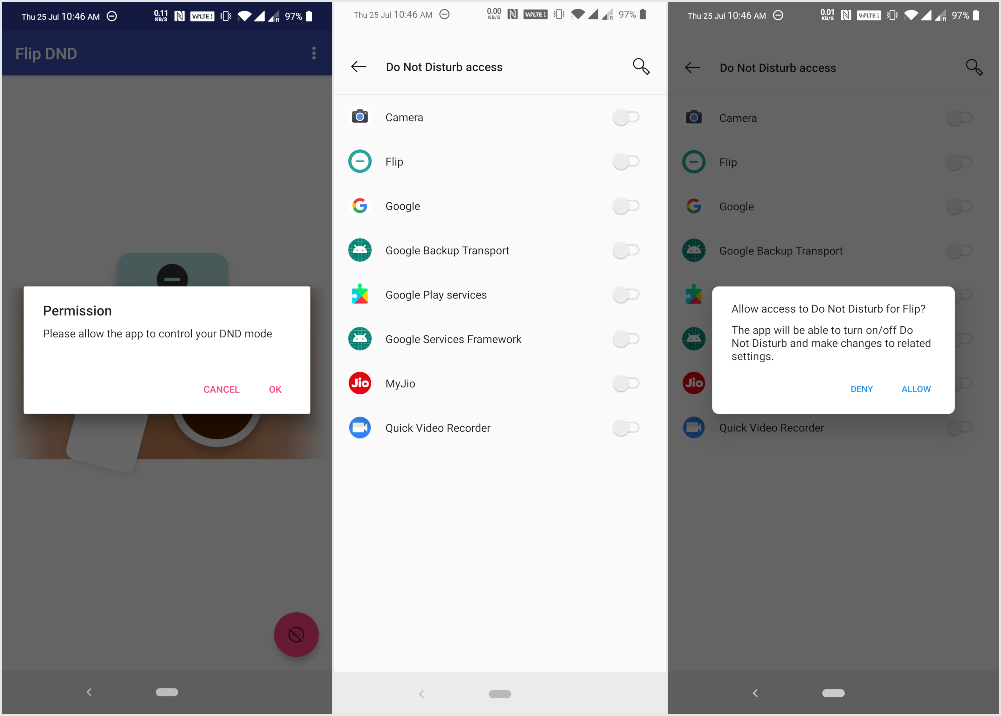
Once the app is installed, launch it. It will immediately ask you to allow the app to control your DND mode. This is needed to enable ‘flip to shhh’. Tap OK and it will redirect you to the appropriate Settings page where you can allow DND access to the app. Look for Flip and turn the toggle next to it on. On the confirmation dialog that pops up tap ALLOW and Flip DND will be granted Do Not Disturb access.
Don’t Miss: What’s IMEI Number? What Does It Tell About Your Phone?
Configure Flip to shhh
The app only provides the bare minimum required to have ‘flip to shhh’ working. The main interface has nothing but a floating button near the bottom-right which toggles Do Not Disturb on or off quickly. The three-dot overflow menu contains a few options you can configure.
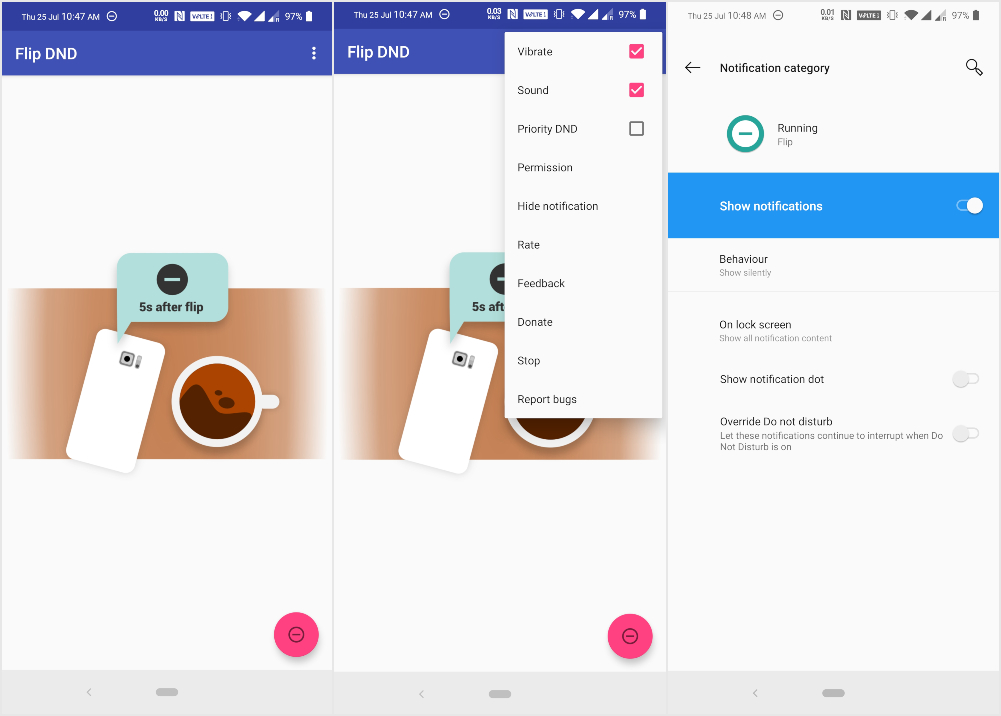
Vibrate, which is enabled by default, makes your phone vibrate twice when Do Not Disturb is activated by putting the phone face down. When you pick it up, the phone vibrates once to indicate DND mode is disabled.
Similarly, if you enable the Sound feature, the phone will make a “shhh” sound when Do Not Disturb is activated by putting the phone face down. Priority DND allows calls and messages from starred contacts to ring even when your phone is placed face down.
That’s all there is to the app. Oh and it displays a notification by default, but it can be easily turned off. You may also want to exclude it from battery optimization settings so that Android doesn’t kill it in the background.
Read Next: What is Init.d? How to Enable Init.d Support on Android



Join The Discussion: